bundles / scipy 1.17.1 / scipy / signal / _czt / zoom_fft
function
scipy.signal._czt:zoom_fft
source: /scipy/signal/_czt.py:508
Signature
def zoom_fft(x, fn, m = None, *, fs = 2, endpoint = False, axis = -1)Summary
Compute the DFT of x only for frequencies in range fn.
Parameters
x: arrayThe signal to transform.
fn: array_likeA length-2 sequence [
f1,f2] giving the frequency range, or a scalar, for which the range [0,fn] is assumed.m: int, optionalThe number of points to evaluate. The default is the length of
x.fs: float, optionalThe sampling frequency. If
fs=10represented 10 kHz, for example, thenf1andf2would also be given in kHz. The default sampling frequency is 2, sof1andf2should be in the range [0, 1] to keep the transform below the Nyquist frequency.endpoint: bool, optionalIf True,
f2is the last sample. Otherwise, it is not included. Default is False.axis: int, optionalAxis over which to compute the FFT. If not given, the last axis is used.
Returns
out: ndarrayThe transformed signal. The Fourier transform will be calculated at the points f1, f1+df, f1+2df, ..., f2, where df=(f2-f1)/m.
Notes
The defaults are chosen such that signal.zoom_fft(x, 2) is equivalent to fft.fft(x) and, if m > len(x), that signal.zoom_fft(x, 2, m) is equivalent to fft.fft(x, m).
To graph the magnitude of the resulting transform, use
plot(linspace(f1, f2, m, endpoint=False), abs(zoom_fft(x, [f1, f2], m)))If the transform needs to be repeated, use ZoomFFT to construct a specialized transform function which can be reused without recomputing constants.
Array API Standard Support
zoom_fft has experimental support for Python Array API Standard compatible backends in addition to NumPy. Please consider testing these features by setting an environment variable SCIPY_ARRAY_API=1 and providing CuPy, PyTorch, JAX, or Dask arrays as array arguments. The following combinations of backend and device (or other capability) are supported.
====================  ====================  ====================
Library               CPU                   GPU
====================  ====================  ====================
NumPy                 ✅                     n/a
CuPy                  n/a                   ⛔
PyTorch               ⛔                     ⛔
JAX                   ⛔                     ⛔
Dask                  ⛔                     n/a
====================  ====================  ====================
See
dev-arrayapifor more information.
Examples
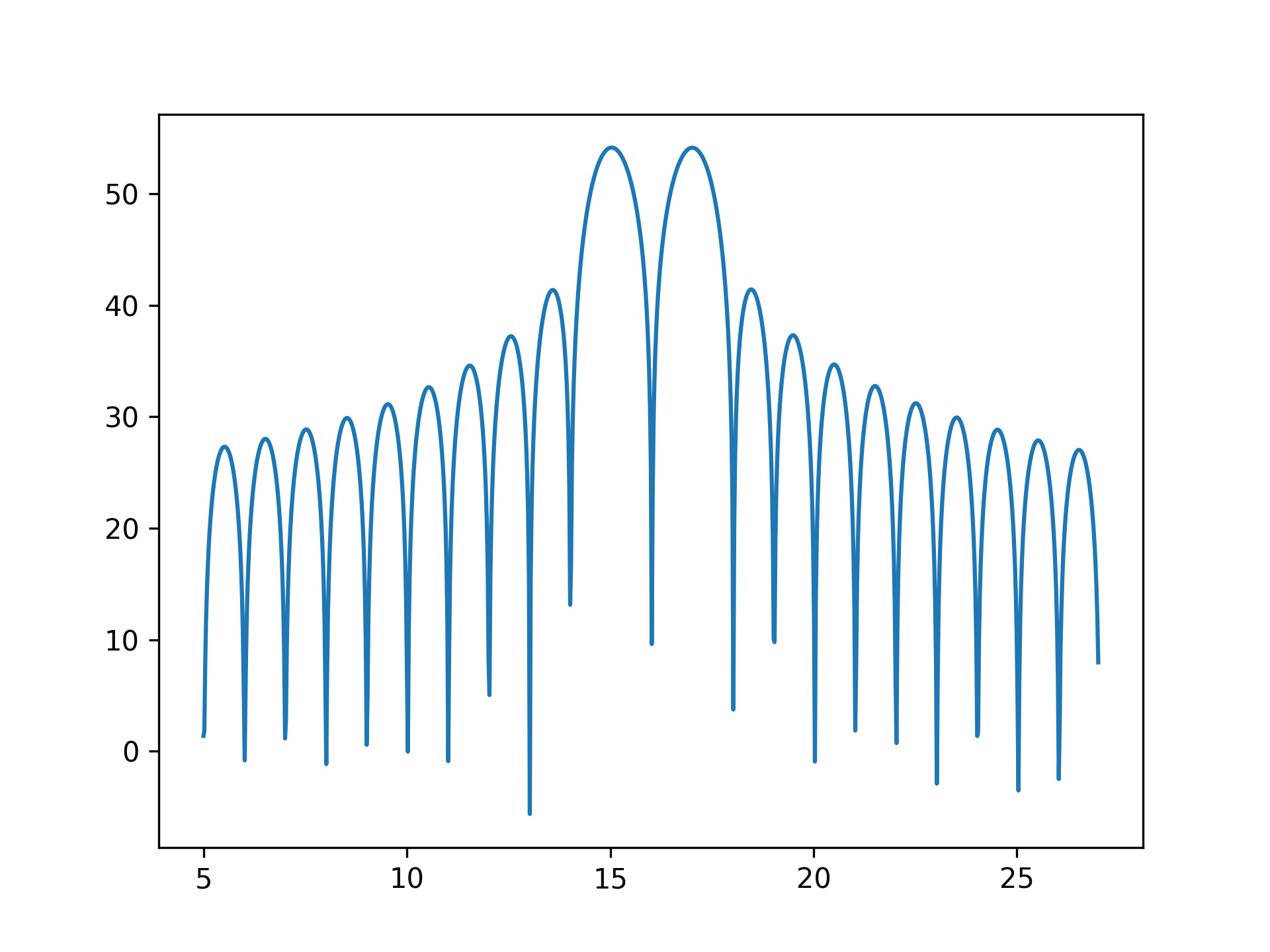
To plot the transform results use something like the following:import numpy as np from scipy.signal import zoom_fft t = np.linspace(0, 1, 1021) x = np.cos(2*np.pi*15*t) + np.sin(2*np.pi*17*t) f1, f2 = 5, 27 X = zoom_fft(x, [f1, f2], len(x), fs=1021) f = np.linspace(f1, f2, len(x)) import matplotlib.pyplot as plt✓
plt.plot(f, 20*np.log10(np.abs(X)))
✗plt.show()
✓
See also
- ZoomFFT
Class that creates a callable partial FFT function.
Aliases
scipy.signal.zoom_fft