bundles / scipy 2.0.0.dev0+git20260907.41eeb59 / scipy / fft / _basic / irfft2
_Function
scipy.fft._basic:irfft2
source: build-install/usr/lib/python3.14/site-packages/scipy/fft/_basic.py:1306
Signature
def irfft2(x, s = None, axes = (-2, -1), norm = None, overwrite_x = False, workers = None, *, plan = None)Summary
Computes the inverse of rfft2.
Parameters
x: array_likeThe input array
s: sequence of ints, optionalShape of the real output to the inverse FFT.
axes: sequence of ints, optionalThe axes over which to compute the inverse fft. Default is the last two axes.
norm: {"backward", "ortho", "forward"}, optionalNormalization mode (see fft). Default is "backward".
overwrite_x: bool, optionalIf True, the contents of
xcan be destroyed; the default is False. See fft for more details.workers: int, optionalMaximum number of workers to use for parallel computation. If negative, the value wraps around from
os.cpu_count(). See fft for more details.plan: object, optionalThis argument is reserved for passing in a precomputed plan provided by downstream FFT vendors. It is currently not used in SciPy.
Returns
out: ndarrayThe result of the inverse real 2-D FFT.
Notes
This is really irfftn with different defaults. For more details see irfftn.
Examples
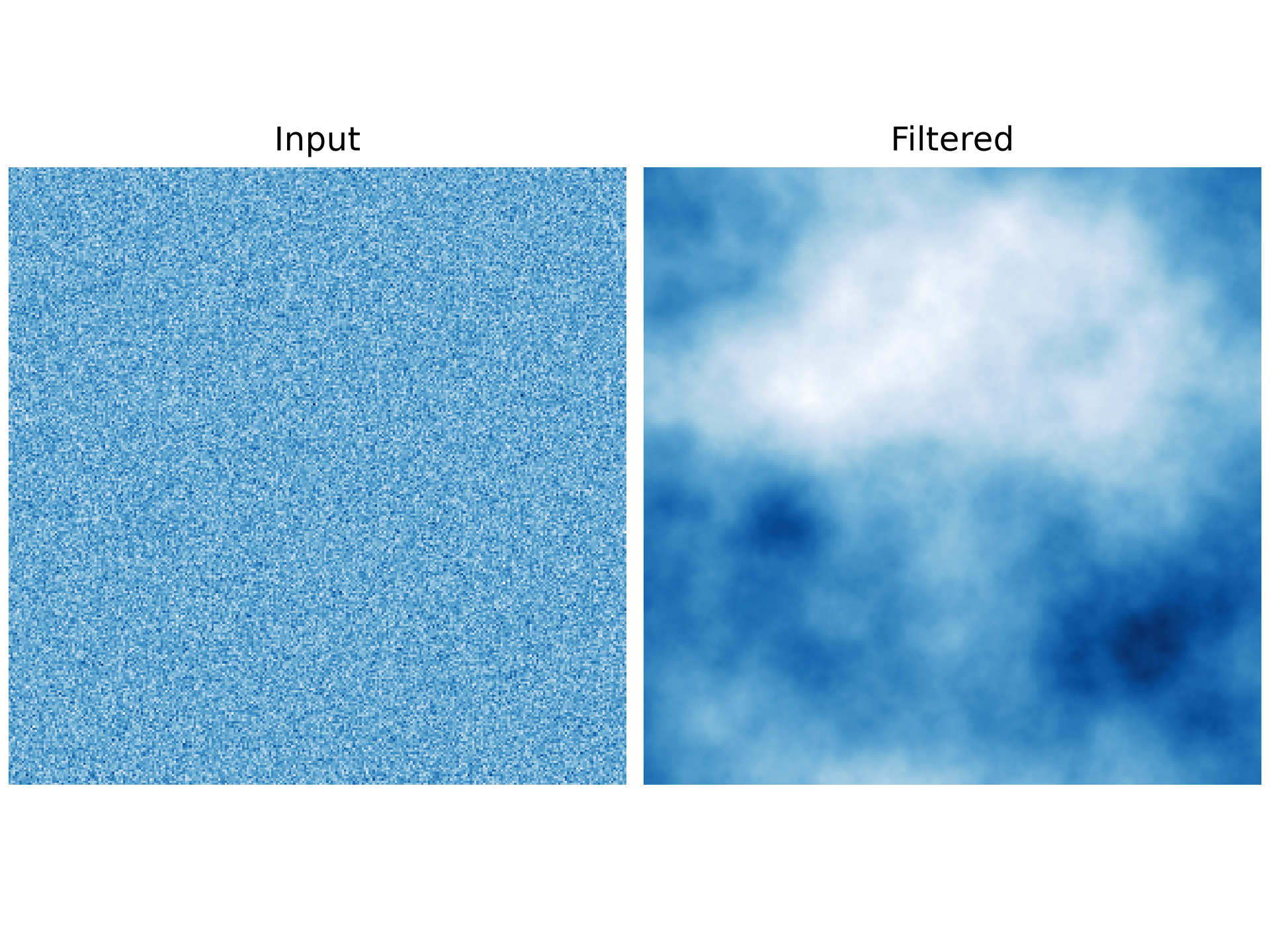
Here's a simple FFT-based lowpass filter applied to an image of white noise. This code will generate an image of white noise, use `rfft2` to transform it to the frequency domain, apply a lowpass filter, and then transform back to the spatial domain with `irfft2`.import numpy as np import matplotlib.pyplot as plt from scipy.fft import rfft2, irfft2, fftfreq, rfftfreq rng = np.random.default_rng() m = 280 # Image size is m x m.✓
im = rng.normal(size=(m, m))
✓f = rfft2(im)
✓xfreqs, yfreqs = np.meshgrid(rfftfreq(m), fftfreq(m)) r = np.hypot(xfreqs, yfreqs) r = r / r.max() r[0, 0] = 1✓
p = 2
filt = r**-p
✓
f2 = filt * f
✓im2 = irfft2(f2)
✓fig, (ax1, ax2) = plt.subplots(1, 2, constrained_layout=True)
✓ax1.imshow(im, cmap='Blues') ax1.set_title('Input')✗
Text(0.5, 1.0, 'Input')
ax1.set_axis_off()
✓ax2.imshow(im2, cmap='Blues') ax2.set_title('Filtered')✗
Text(0.5, 1.0, 'Filtered')
ax2.set_axis_off()
plt.show()
✓
See also
Aliases
scipy.fft.irfft2