bundles / scipy 2.0.0.dev0+git20260907.41eeb59 / scipy / signal / _czt / czt
function
scipy.signal._czt:czt
source: build-install/usr/lib/python3.14/site-packages/scipy/signal/_czt.py:376
Signature
def czt(x, m = None, w = None, a = (1+0j), *, axis = -1)Summary
Compute the frequency response around a spiral in the Z plane.
Parameters
x: arrayThe signal to transform.
m: int, optionalThe number of output points desired. Default is the length of the input data.
w: complex, optionalThe ratio between points in each step. This must be precise or the accumulated error will degrade the tail of the output sequence. Defaults to equally spaced points around the entire unit circle.
a: complex, optionalThe starting point in the complex plane. Default is 1+0j.
axis: int, optionalAxis over which to compute the FFT. If not given, the last axis is used.
Returns
out: ndarrayAn array of the same dimensions as
x, but with the length of the transformed axis set tom.
Notes
The defaults are chosen such that signal.czt(x) is equivalent to fft.fft(x) and, if m > len(x), that signal.czt(x, m) is equivalent to fft.fft(x, m).
If the transform needs to be repeated, use CZT to construct a specialized transform function which can be reused without recomputing constants.
An example application is in system identification, repeatedly evaluating small slices of the z-transform of a system, around where a pole is expected to exist, to refine the estimate of the pole's true location. [1]
Examples
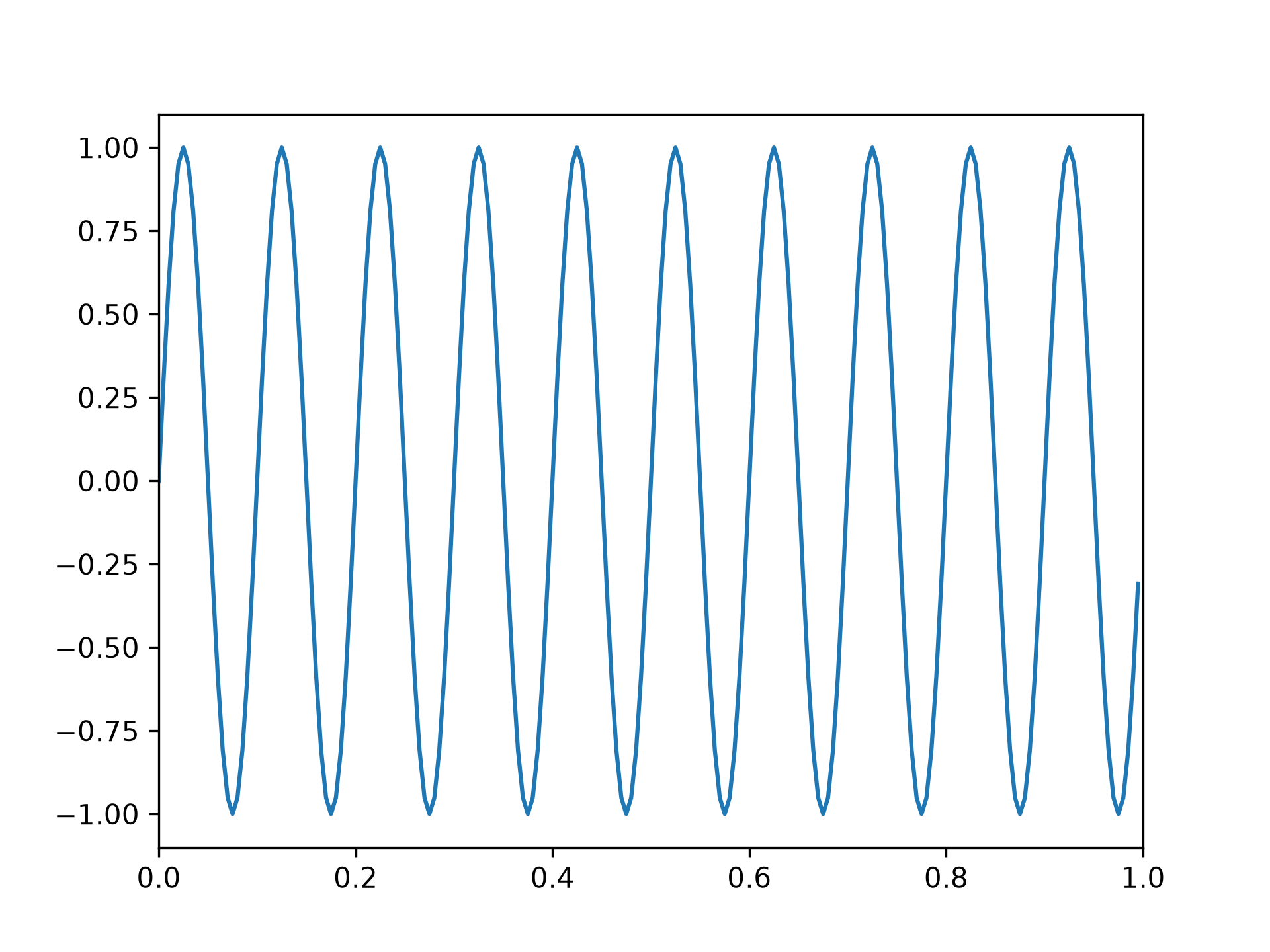
Generate a sinusoid:import numpy as np f1, f2, fs = 8, 10, 200 # Hz t = np.linspace(0, 1, fs, endpoint=False) x = np.sin(2*np.pi*t*f2) import matplotlib.pyplot as plt✓
plt.plot(t, x)
plt.axis([0, 1, -1.1, 1.1])
✗
(np.float64(0.0), np.float64(1.0), np.float64(-1.1), np.float64(1.1))
plt.show()
✓
from scipy.fft import rfft, rfftfreq
from scipy.signal import czt, czt_points
✓
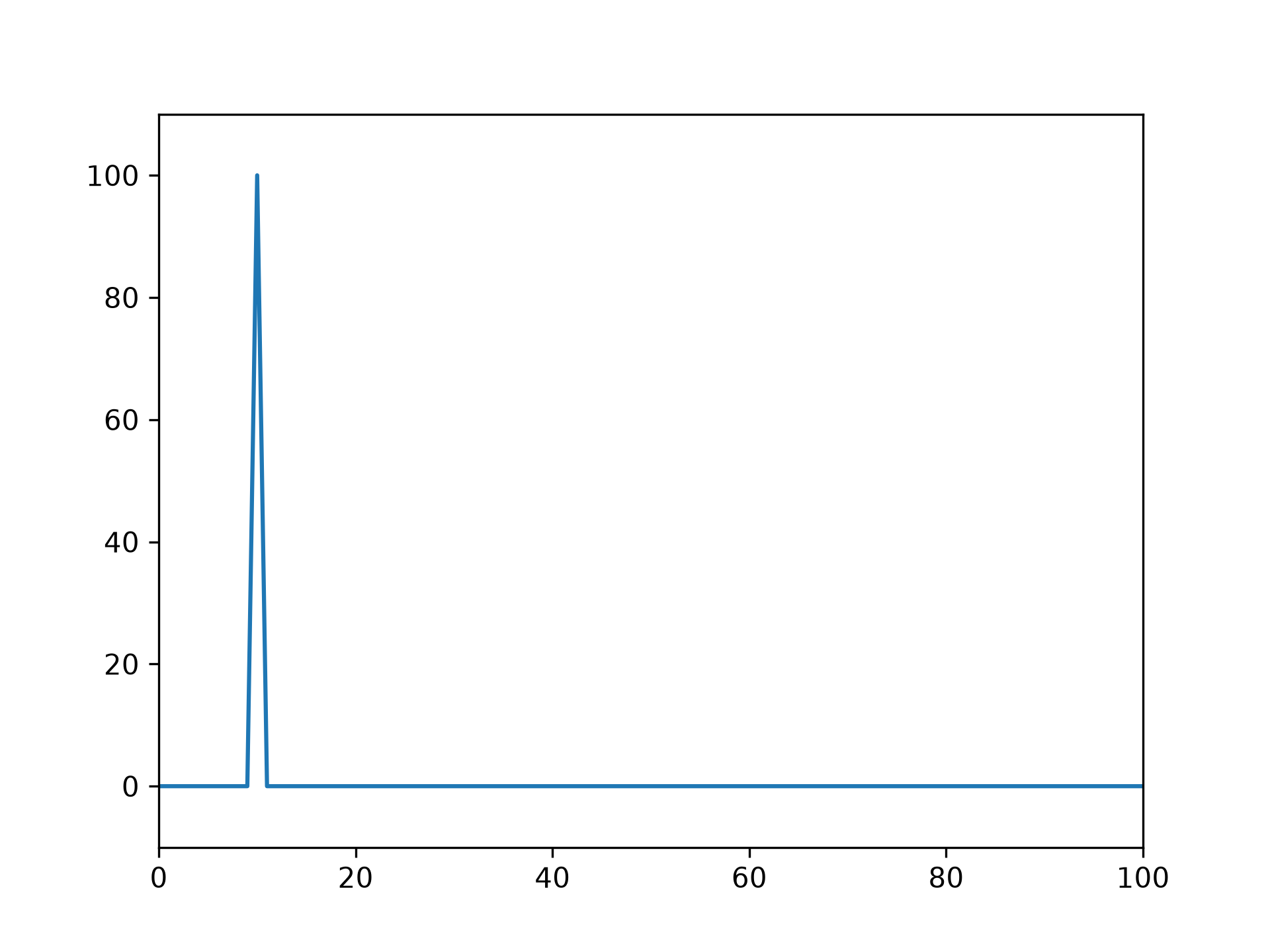
plt.plot(rfftfreq(fs, 1/fs), abs(rfft(x)))
✗[<matplotlib.lines.Line2D object at 0x7f3f68637b60>]
plt.margins(0, 0.1)
plt.show()
✓
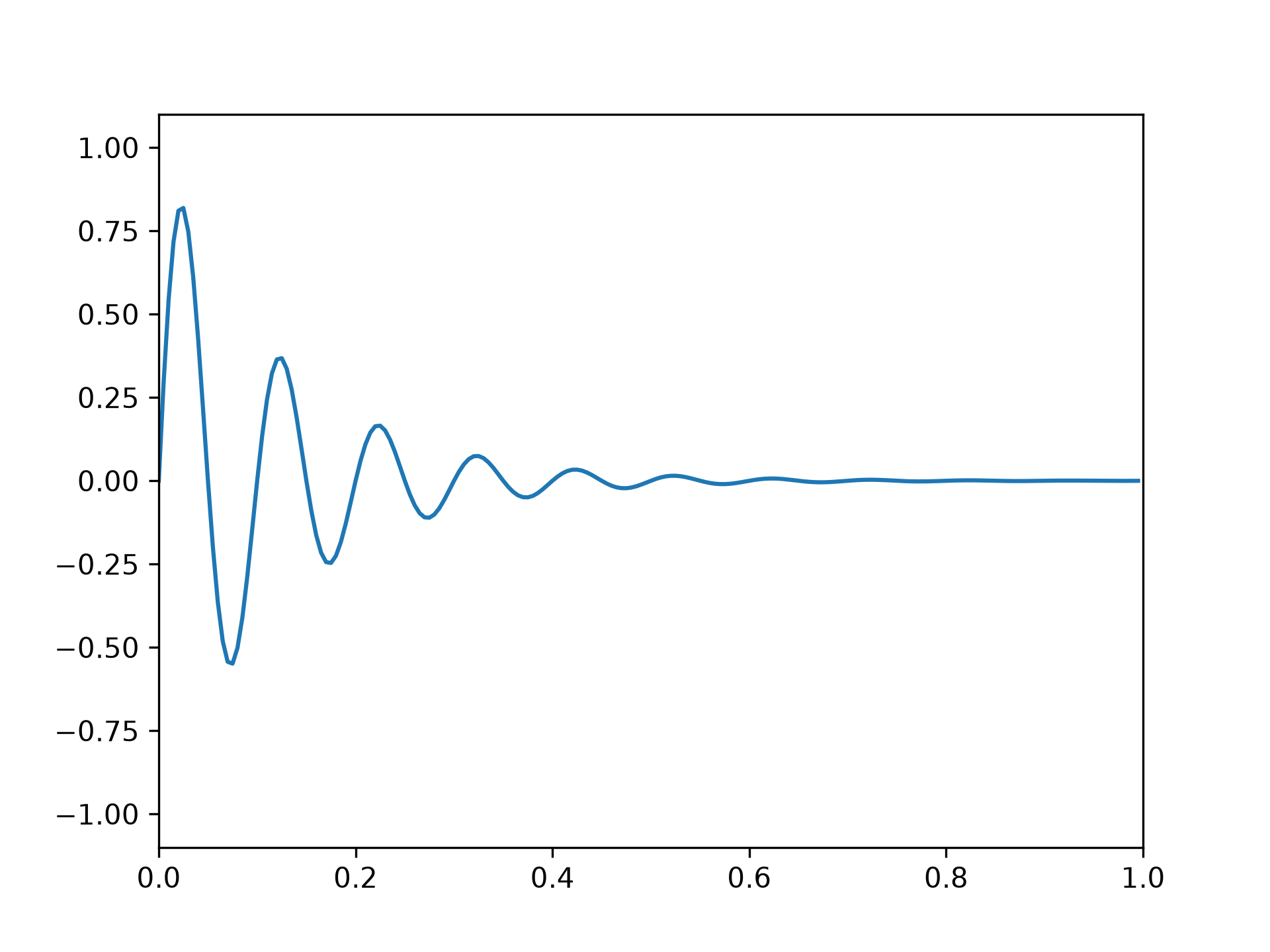
x = np.exp(-t*f1) * np.sin(2*np.pi*t*f2)
✓plt.plot(t, x) plt.axis([0, 1, -1.1, 1.1])✗
(np.float64(0.0), np.float64(1.0), np.float64(-1.1), np.float64(1.1))
plt.show()
✓
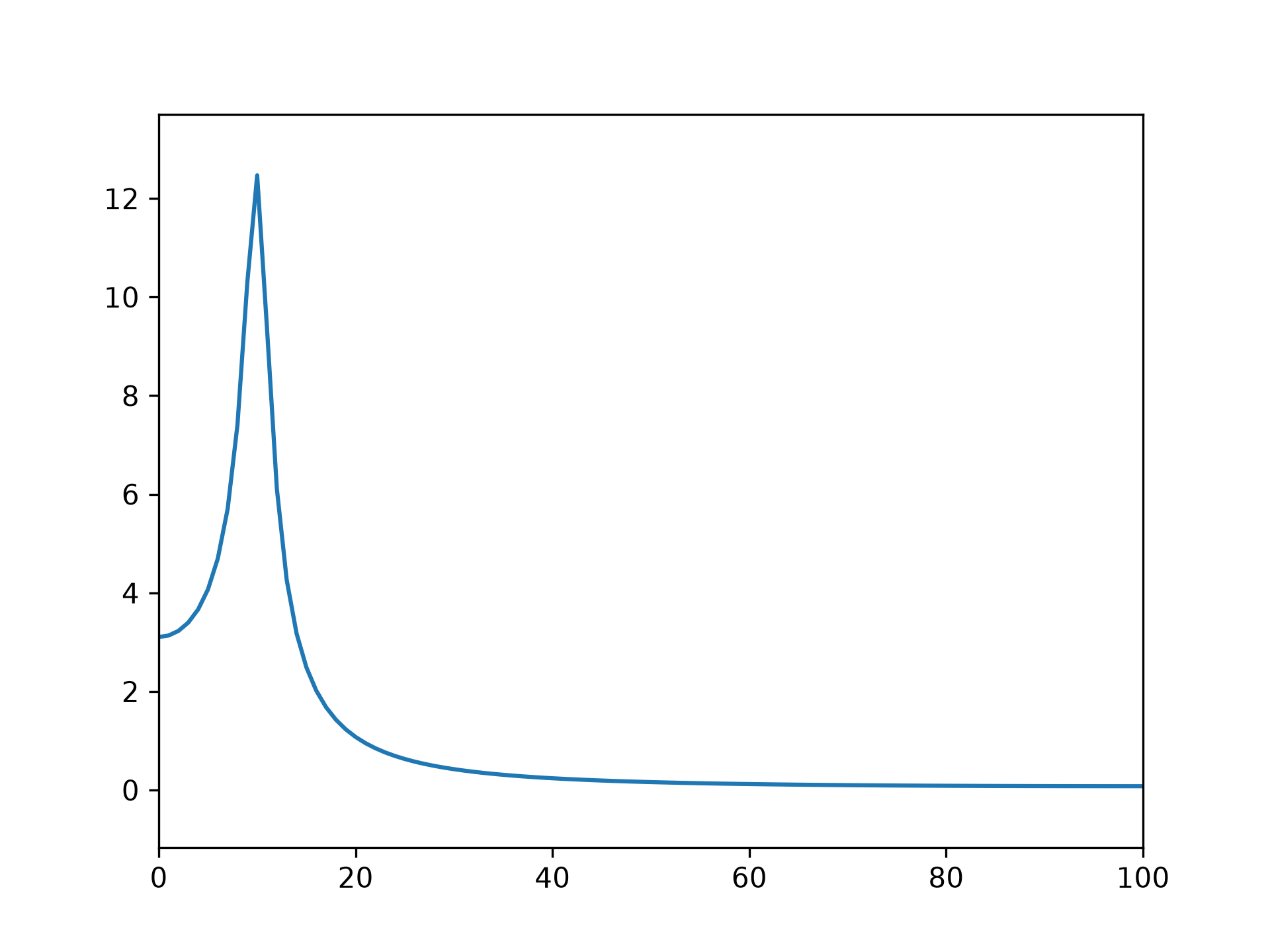
plt.plot(rfftfreq(fs, 1/fs), abs(rfft(x)))
✗[<matplotlib.lines.Line2D object at 0x7f3f68848ad0>]
plt.margins(0, 0.1)
plt.show()
✓
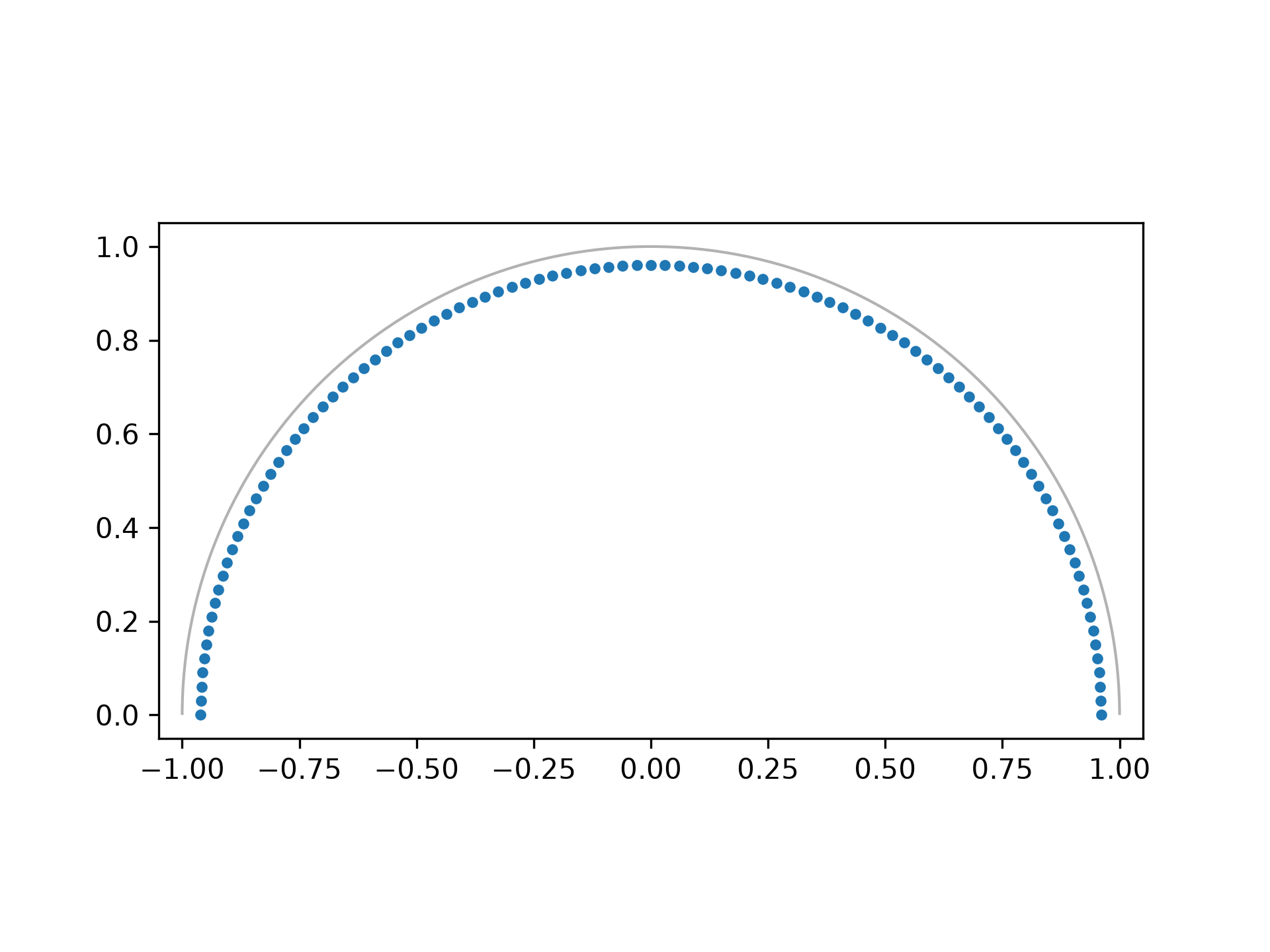
M = fs // 2  # Just positive frequencies, like rfft
a = np.exp(-f1/fs)  # Starting point of the circle, radius < 1
w = np.exp(-1j*np.pi/M)  # "Step size" of circle
points = czt_points(M + 1, w, a)  # M + 1 to include Nyquist
from matplotlib.patches import Arc
fig, ax = plt.subplots()
✓
ax.plot(points.real, points.imag, '.')
ax.add_patch(Arc((0, 0), width=2, height=2, theta1=0,
                 theta2=180, alpha=.3))
✗
<matplotlib.patches.Arc object at 0x7f3f68498d70>
ax.set_aspect('equal')
✓ax.set_xlim(-1.05, 1.05)
✗(-1.05, 1.05)
plt.show()
✓
z_vals = czt(x, M + 1, w, a)  # Include Nyquist for comparison to rfft
freqs = np.angle(points)*fs/(2*np.pi)  # angle = omega, radius = sigma
✓
plt.plot(freqs, abs(z_vals))
✗[<matplotlib.lines.Line2D object at 0x7f3f684ee660>]
plt.margins(0, 0.1)
plt.show()
✓
See also
Aliases
scipy.signal.czt