bundles / scipy 2.0.0.dev0+git20260907.41eeb59 / scipy / stats / _fit / FitResult / plot
function
scipy.stats._fit:FitResult.plot
source: build-install/usr/lib/python3.14/site-packages/scipy/stats/_fit.py:113
Signature
def plot(self, ax = None, *, plot_type = hist)Summary
Visually compare the data against the fitted distribution.
Extended Summary
Available only if matplotlib is installed.
Parameters
ax: `matplotlib.axes.Axes`Axes object to draw the plot onto, otherwise uses the current Axes.
plot_type: {"hist", "qq", "pp", "cdf"}Type of plot to draw. Options include:
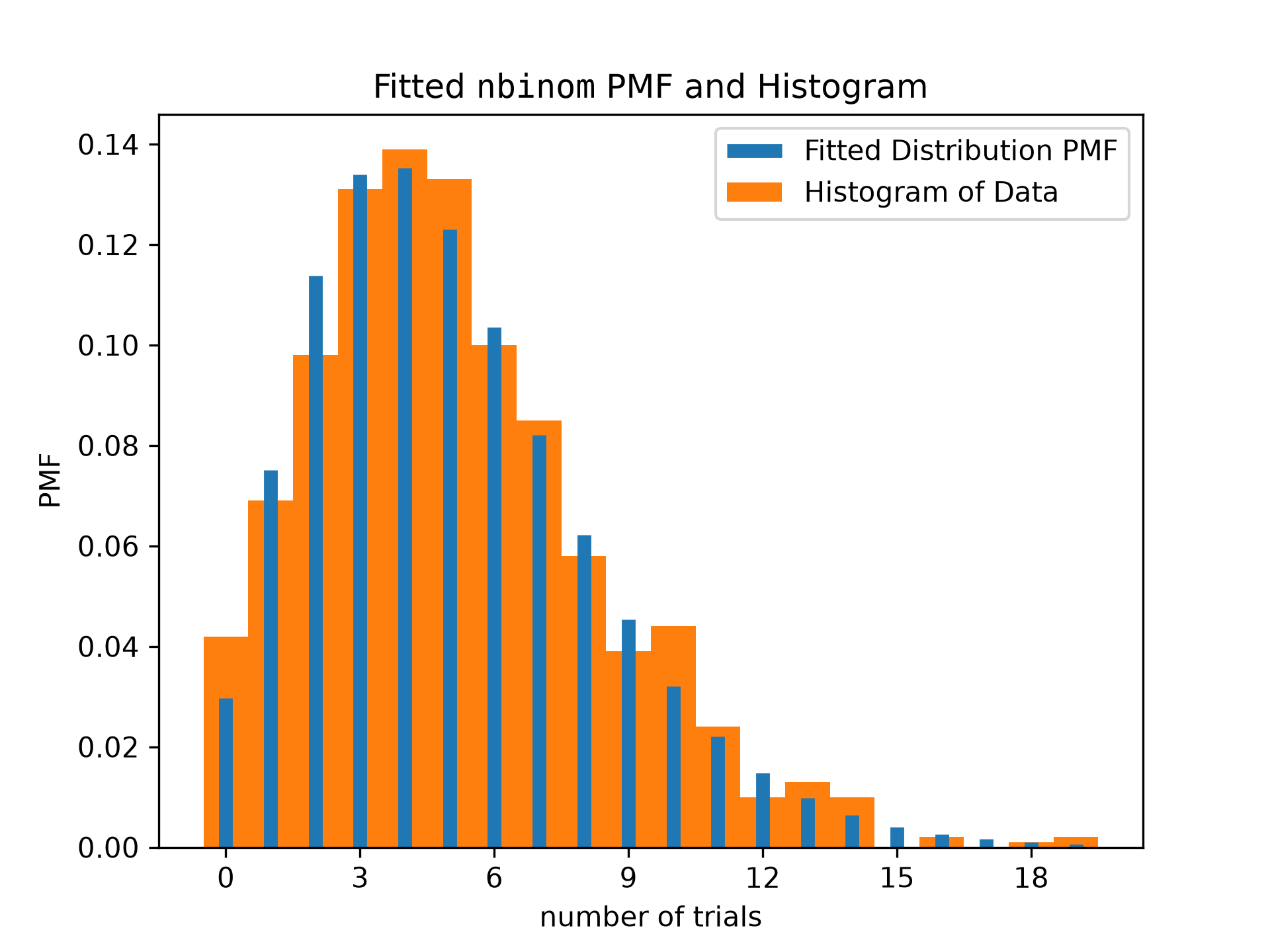
"hist": Superposes the PDF/PMF of the fitted distribution over a normalized histogram of the data.
"qq": Scatter plot of theoretical quantiles against the empirical quantiles. Specifically, the x-coordinates are the values of the fitted distribution PPF evaluated at the percentiles
(np.arange(1, n) - 0.5)/n, wherenis the number of data points, and the y-coordinates are the sorted data points."pp": Scatter plot of theoretical percentiles against the observed percentiles. Specifically, the x-coordinates are the percentiles
(np.arange(1, n) - 0.5)/n, wherenis the number of data points, and the y-coordinates are the values of the fitted distribution CDF evaluated at the sorted data points."cdf": Superposes the CDF of the fitted distribution over the empirical CDF. Specifically, the x-coordinates of the empirical CDF are the sorted data points, and the y-coordinates are the percentiles
(np.arange(1, n) - 0.5)/n, wherenis the number of data points.
Returns
ax: `matplotlib.axes.Axes`The matplotlib Axes object on which the plot was drawn.
Examples
import numpy as np
from scipy import stats
import matplotlib.pyplot as plt  # matplotlib must be installed
rng = np.random.default_rng()
data = stats.nbinom(5, 0.5).rvs(size=1000, random_state=rng)
bounds = [(0, 30), (0, 1)]
res = stats.fit(stats.nbinom, data, bounds)
ax = res.plot()  # save matplotlib Axes object
✓
ax.set_xlabel('number of trials') # customize axis label
✗Text(0.5, 0, 'number of trials')
ax.get_children()[0].set_linewidth(5) # customize line widths
✓ax.legend()
✗<matplotlib.legend.Legend object at 0x7f3f60b80ec0>
plt.show()
✓
Aliases
scipy.stats._fit.FitResult.plot