bundles / scipy 2.0.0.dev0+git20260907.41eeb59 / scipy / signal / _waveforms / chirp
function
scipy.signal._waveforms:chirp
source: build-install/usr/lib/python3.14/site-packages/scipy/signal/_waveforms.py:254
Signature
def chirp(t, f0, t1, f1, method = linear, phi = 0, vertex_zero = True, *, complex = False)Summary
Frequency-swept cosine generator.
Extended Summary
In the following, 'Hz' should be interpreted as 'cycles per unit'; there is no requirement here that the unit is one second. The important distinction is that the units of rotation are cycles, not radians. Likewise, t could be a measurement of space instead of time.
Parameters
t: array_likeTimes at which to evaluate the waveform.
f0: floatFrequency (e.g. Hz) at time t=0.
t1: floatTime at which
f1is specified.f1: floatFrequency (e.g. Hz) of the waveform at time
t1.method: {'linear', 'quadratic', 'logarithmic', 'hyperbolic'}, optionalKind of frequency sweep. If not given, linear is assumed. See Notes below for more details.
phi: float, optionalPhase offset, in degrees. Default is 0.
vertex_zero: bool, optionalThis parameter is only used when
methodis 'quadratic'. It determines whether the vertex of the parabola that is the graph of the frequency is at t=0 or t=t1.complex: bool, optionalThis parameter creates a complex-valued analytic signal instead of a real-valued signal. It allows the use of complex baseband (in communications domain). Default is False.
Returns
y: ndarrayA numpy array containing the signal evaluated at
twith the requested time-varying frequency. More precisely, the function returnsexp(1j*phase + 1j*(pi/180)*phi) if complex else cos(phase + (pi/180)*phi)wherephaseis the integral (from 0 tot) of2*pi*f(t). The instantaneous frequencyf(t)is defined below.
Notes
There are four possible options for the parameter method, which have a (long) standard form and some allowed abbreviations. The formulas for the instantaneous frequency of the generated signal are as follows:
Parameter
methodin('linear', 'lin', 'li'):Frequency varies linearly over time with a constant rate .
Parameter
methodin('quadratic', 'quad', 'q'):f(t) = \begin{cases} f_0 + \beta\, t^2 & \text{if vertex_zero is True,}\\ f_1 + \beta\, (t_1 - t)^2 & \text{otherwise,} \end{cases} \quad\text{with}\quad \beta = \frac{f_1 - f_0}{t_1^2}The graph of the frequency f(t) is a parabola through and . By default, the vertex of the parabola is at . If
vertex_zeroisFalse, then the vertex is at . To use a more general quadratic function, or an arbitrary polynomial, use the function scipy.signal.sweep_poly.Parameter
methodin('logarithmic', 'log', 'lo'):and must be nonzero and have the same sign. This signal is also known as a geometric or exponential chirp.
Parameter
methodin('hyperbolic', 'hyp'):and must be nonzero.
Examples
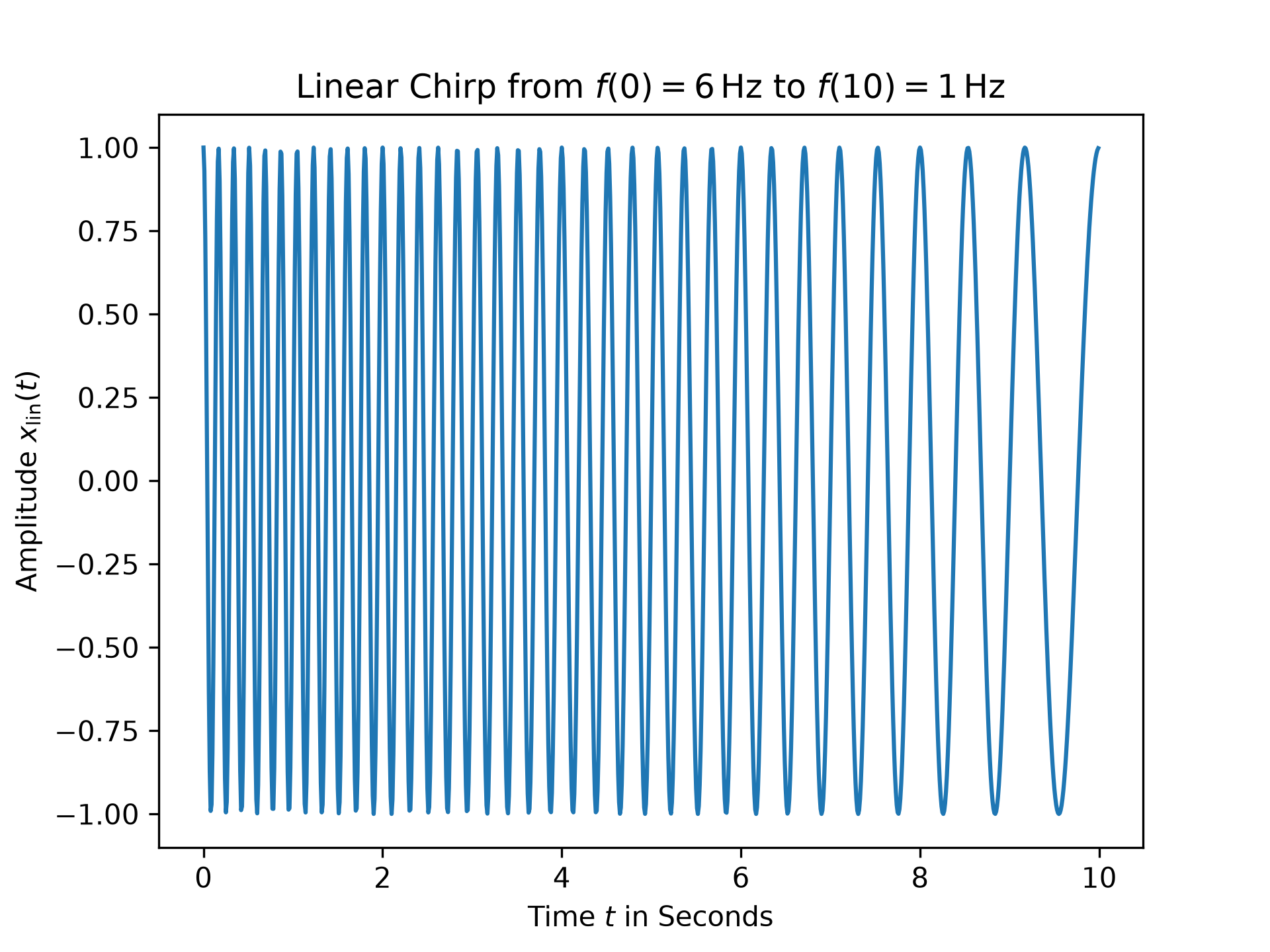
For the first example, a linear chirp ranging from 6 Hz to 1 Hz over 10 seconds is plotted:import numpy as np from matplotlib.pyplot import tight_layout from scipy.signal import chirp, square, ShortTimeFFT from scipy.signal.windows import gaussian import matplotlib.pyplot as plt N, T = 1000, 0.01 # number of samples and sampling interval for 10 s signal t = np.arange(N) * T # timestamps x_lin = chirp(t, f0=6, f1=1, t1=10, method='linear') fg0, ax0 = plt.subplots()✓
ax0.set_title(r"Linear Chirp from $f(0)=6\,$Hz to $f(10)=1\,$Hz")
ax0.set(xlabel="Time $t$ in Seconds", ylabel=r"Amplitude $x_\text{lin}(t)$")
ax0.plot(t, x_lin)
✗
[<matplotlib.lines.Line2D object at 0x7f3f60315400>]
plt.show()
✓
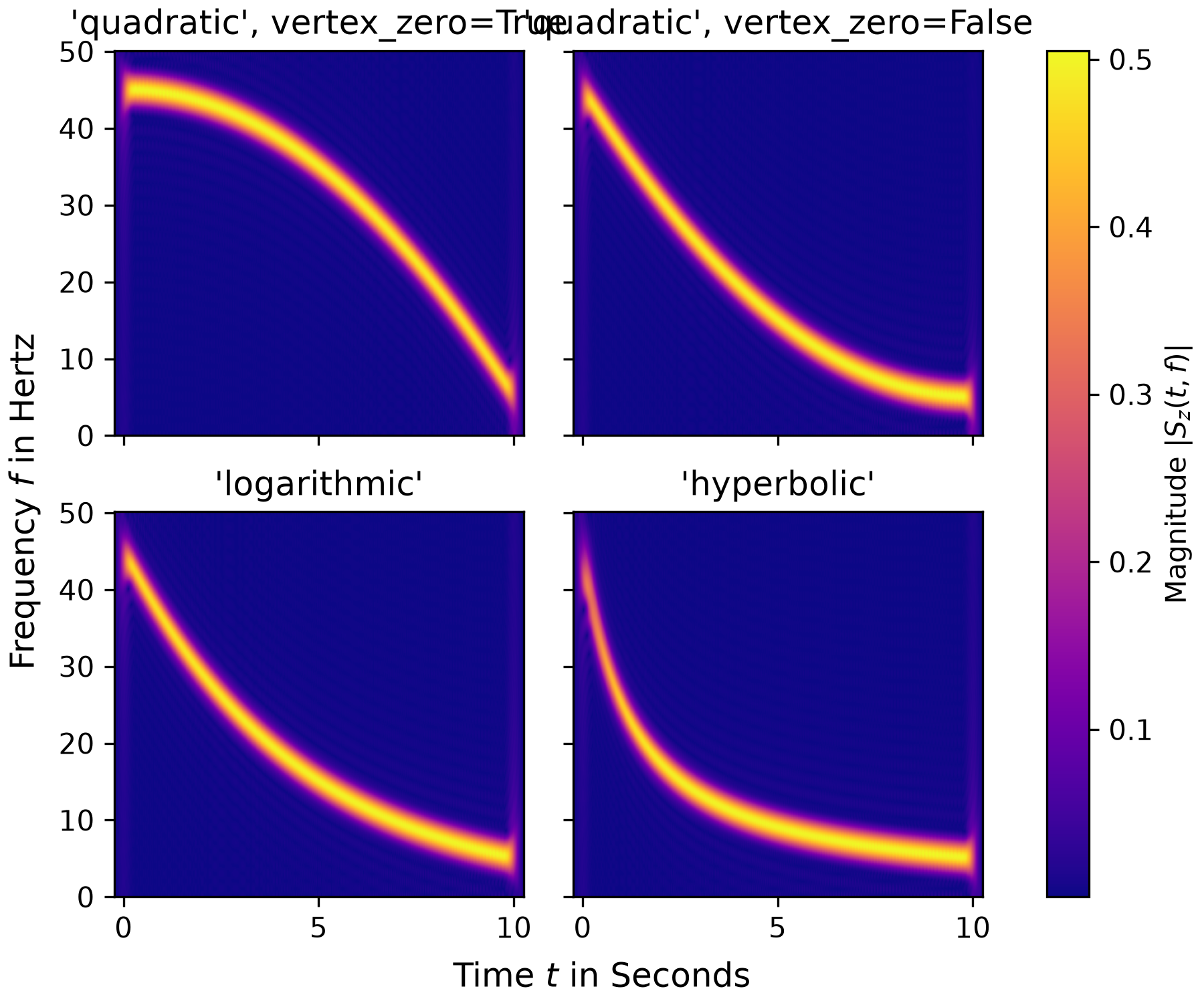
x_qu0 = chirp(t, f0=45, f1=5, t1=N*T, method='quadratic', vertex_zero=True)
x_qu1 = chirp(t, f0=45, f1=5, t1=N*T, method='quadratic', vertex_zero=False)
x_log = chirp(t, f0=45, f1=5, t1=N*T, method='logarithmic')
x_hyp = chirp(t, f0=45, f1=5, t1=N*T, method='hyperbolic')
win = gaussian(50, std=12, sym=True)
SFT = ShortTimeFFT(win, hop=2, fs=1/T, mfft=800, scale_to='magnitude')
ts = ("'quadratic', vertex_zero=True", "'quadratic', vertex_zero=False",
      "'logarithmic'", "'hyperbolic'")
fg1, ax1s = plt.subplots(2, 2, sharex='all', sharey='all',
                         figsize=(6, 5),  layout="constrained")
✓
for x_, ax_, t_ in zip([x_qu0, x_qu1, x_log, x_hyp], ax1s.ravel(), ts):
    aSx = abs(SFT.stft(x_))
    im_ = ax_.imshow(aSx, origin='lower', aspect='auto', extent=SFT.extent(N),
                     cmap='plasma')
    ax_.set_title(t_)
    if t_ == "'hyperbolic'":
        fg1.colorbar(im_, ax=ax1s, label='Magnitude $|S_z(t,f)|$')
✗
Text(0.5, 1.0, "'quadratic', vertex_zero=True")
Text(0.5, 1.0, "'quadratic', vertex_zero=False")
Text(0.5, 1.0, "'logarithmic'")
Text(0.5, 1.0, "'hyperbolic'")
<matplotlib.colorbar.Colorbar object at 0x7f3f605716a0>
_ = fg1.supxlabel("Time $t$ in Seconds")  # `_ =` is needed to pass doctests
_ = fg1.supylabel("Frequency $f$ in Hertz")
plt.show()
✓
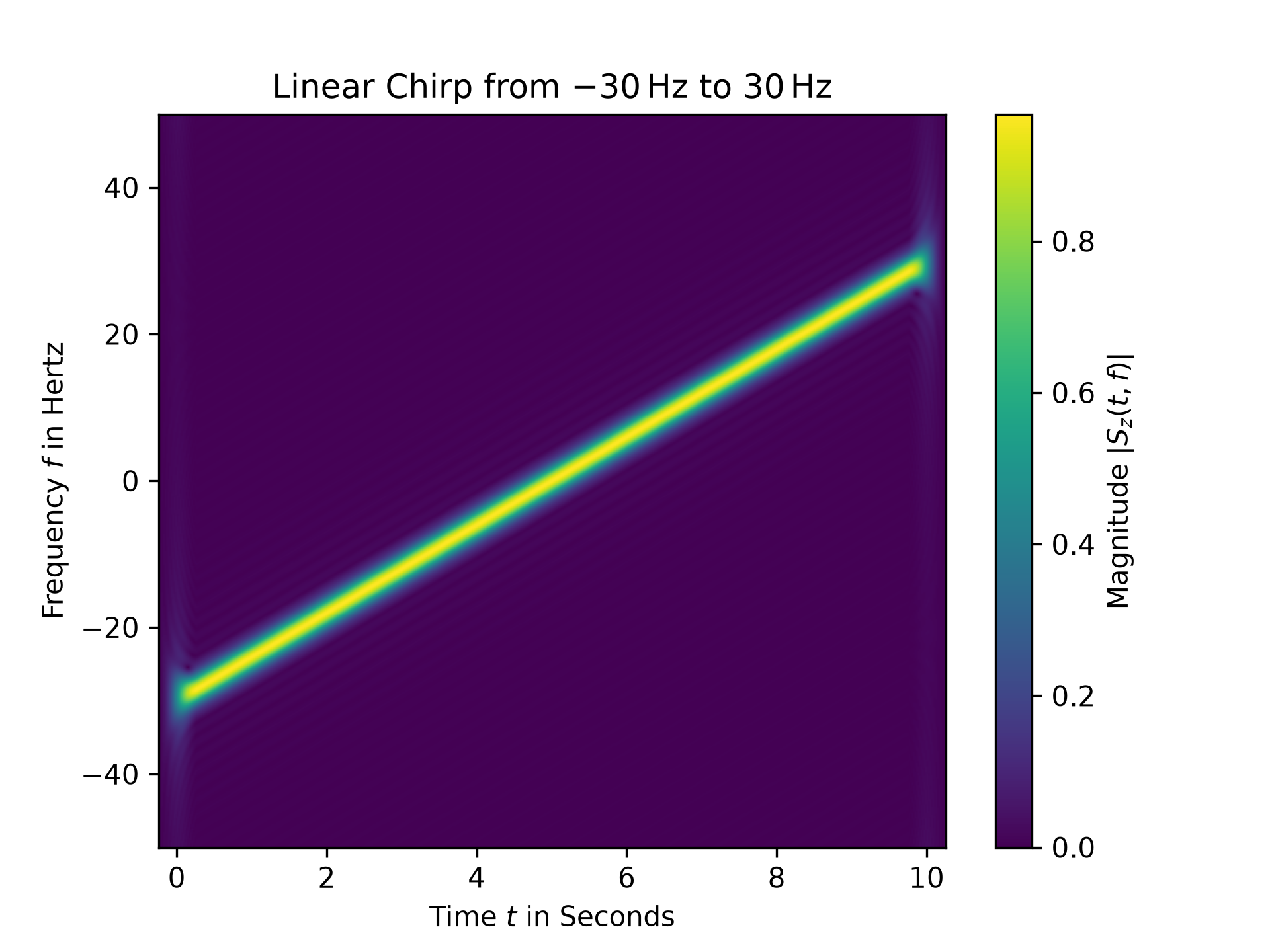
z_lin = chirp(t, f0=-30, f1=30, t1=N*T, method="linear", complex=True)
SFT.fft_mode = 'centered'  # needed to work with complex signals
aSz = abs(SFT.stft(z_lin))
fg2, ax2 = plt.subplots()
✓
ax2.set_title(r"Linear Chirp from $-30\,$Hz to $30\,$Hz")
ax2.set(xlabel="Time $t$ in Seconds", ylabel="Frequency $f$ in Hertz")
✗
[Text(0.5, 0, 'Time $t$ in Seconds'), Text(0, 0.5, 'Frequency $f$ in Hertz')]
im2 = ax2.imshow(aSz, origin='lower', aspect='auto',
                 extent=SFT.extent(N), cmap='viridis')
✓
fg2.colorbar(im2, label='Magnitude $|S_z(t,f)|$')
✗<matplotlib.colorbar.Colorbar object at 0x7f3f60145fd0>
plt.show()
✓
See also
Aliases
scipy.signal.chirp