bundles / scipy 2.0.0.dev0+git20260907.41eeb59 / scipy / stats / _stats_py / relfreq
function
scipy.stats._stats_py:relfreq
source: build-install/usr/lib/python3.14/site-packages/scipy/stats/_stats_py.py:2440
Signature
def relfreq(a, numbins = 10, defaultreallimits = None, weights = None)Summary
Return a relative frequency histogram, using the histogram function.
Extended Summary
A relative frequency histogram is a mapping of the number of observations in each of the bins relative to the total of observations.
Parameters
a: array_likeInput array.
numbins: int, optionalThe number of bins to use for the histogram. Default is 10.
defaultreallimits: tuple (lower, upper), optionalThe lower and upper values for the range of the histogram. If no value is given, a range slightly larger than the range of the values in a is used. Specifically
(a.min() - s, a.max() + s), wheres = (1/2)(a.max() - a.min()) / (numbins - 1).weights: array_like, optionalThe weights for each value in
a. Default is None, which gives each value a weight of 1.0
Returns
frequency: ndarrayBinned values of relative frequency.
lowerlimit: floatLower real limit.
binsize: floatWidth of each bin.
extrapoints: intExtra points.
Examples
import numpy as np
import matplotlib.pyplot as plt
from scipy import stats
rng = np.random.default_rng()
a = np.array([2, 4, 1, 2, 3, 2])
res = stats.relfreq(a, numbins=4)
✓
res.frequency
np.sum(res.frequency)  # relative frequencies should add up to 1
✗
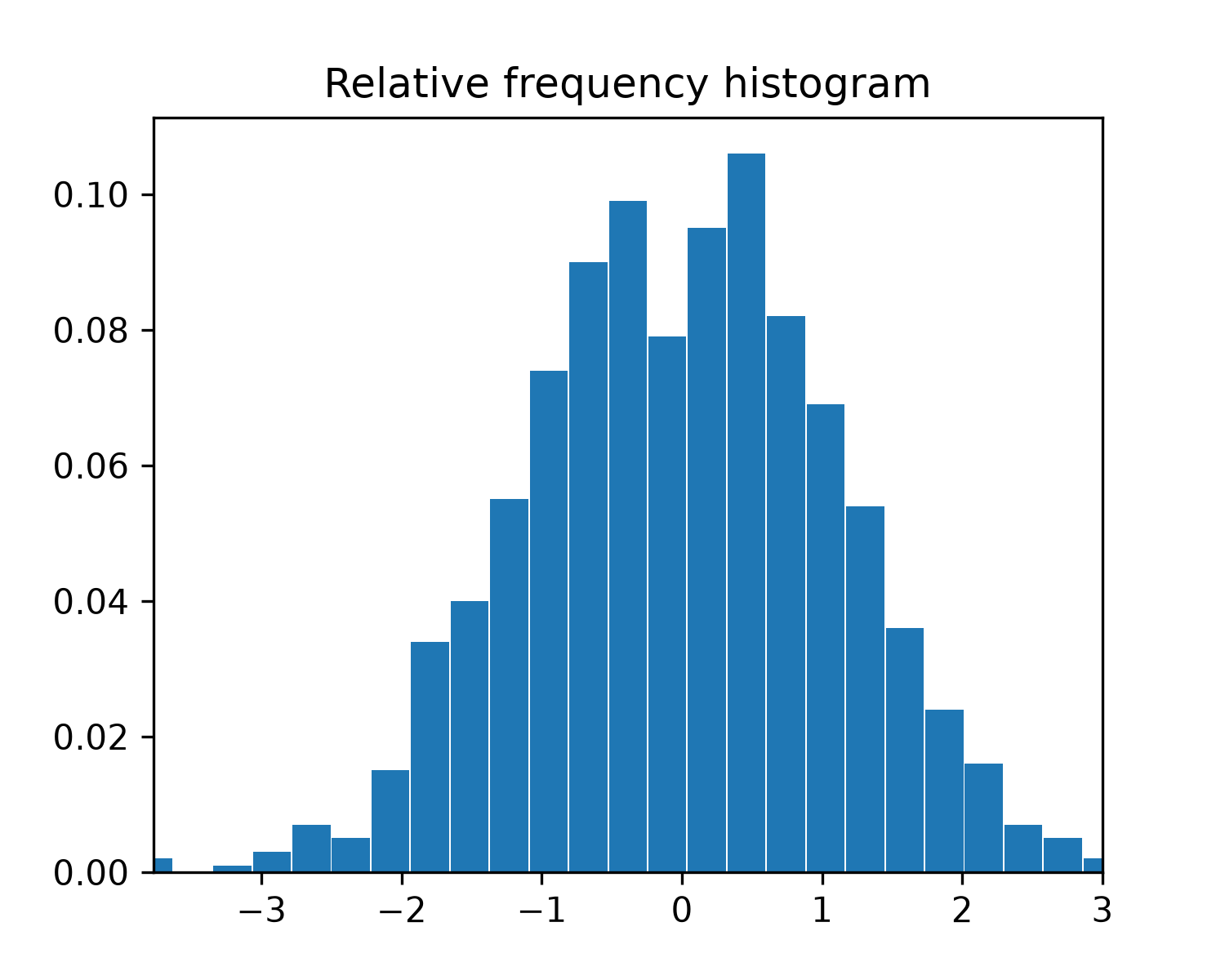
np.float64(0.9999999999999999)Create a normal distribution with 1000 random values
samples = stats.norm.rvs(size=1000, random_state=rng)
✓res = stats.relfreq(samples, numbins=25)
✓x = res.lowerlimit + np.linspace(0, res.binsize*res.frequency.size, res.frequency.size)✓
fig = plt.figure(figsize=(5, 4))
ax = fig.add_subplot(1, 1, 1)
✓
ax.bar(x, res.frequency, width=res.binsize)
ax.set_title('Relative frequency histogram')
ax.set_xlim([x.min(), x.max()])
✗
(-3.7730786689688216, 3.0004074615798233)
plt.show()
✓
Aliases
scipy.stats.relfreq