bundles / scipy latest / scipy / stats / _stats_py / cumfreq
function
scipy.stats._stats_py:cumfreq
source: build-install/usr/lib/python3.14/site-packages/scipy/stats/_stats_py.py:2357
Signature
def cumfreq(a, numbins = 10, defaultreallimits = None, weights = None)Summary
Return a cumulative frequency histogram, using the histogram function.
Extended Summary
A cumulative histogram is a mapping that counts the cumulative number of observations in all of the bins up to the specified bin.
Parameters
a: array_likeInput array.
numbins: int, optionalThe number of bins to use for the histogram. Default is 10.
defaultreallimits: tuple (lower, upper), optionalThe lower and upper values for the range of the histogram. If no value is given, a range slightly larger than the range of the values in
ais used. Specifically(a.min() - s, a.max() + s), wheres = (1/2)(a.max() - a.min()) / (numbins - 1).weights: array_like, optionalThe weights for each value in
a. Default is None, which gives each value a weight of 1.0
Returns
cumcount: ndarrayBinned values of cumulative frequency.
lowerlimit: floatLower real limit
binsize: floatWidth of each bin.
extrapoints: intExtra points.
Examples
import numpy as np
import matplotlib.pyplot as plt
from scipy import stats
rng = np.random.default_rng()
x = [1, 4, 2, 1, 3, 1]
res = stats.cumfreq(x, numbins=4, defaultreallimits=(1.5, 5))
✓
res.cumcount
res.extrapoints
✗
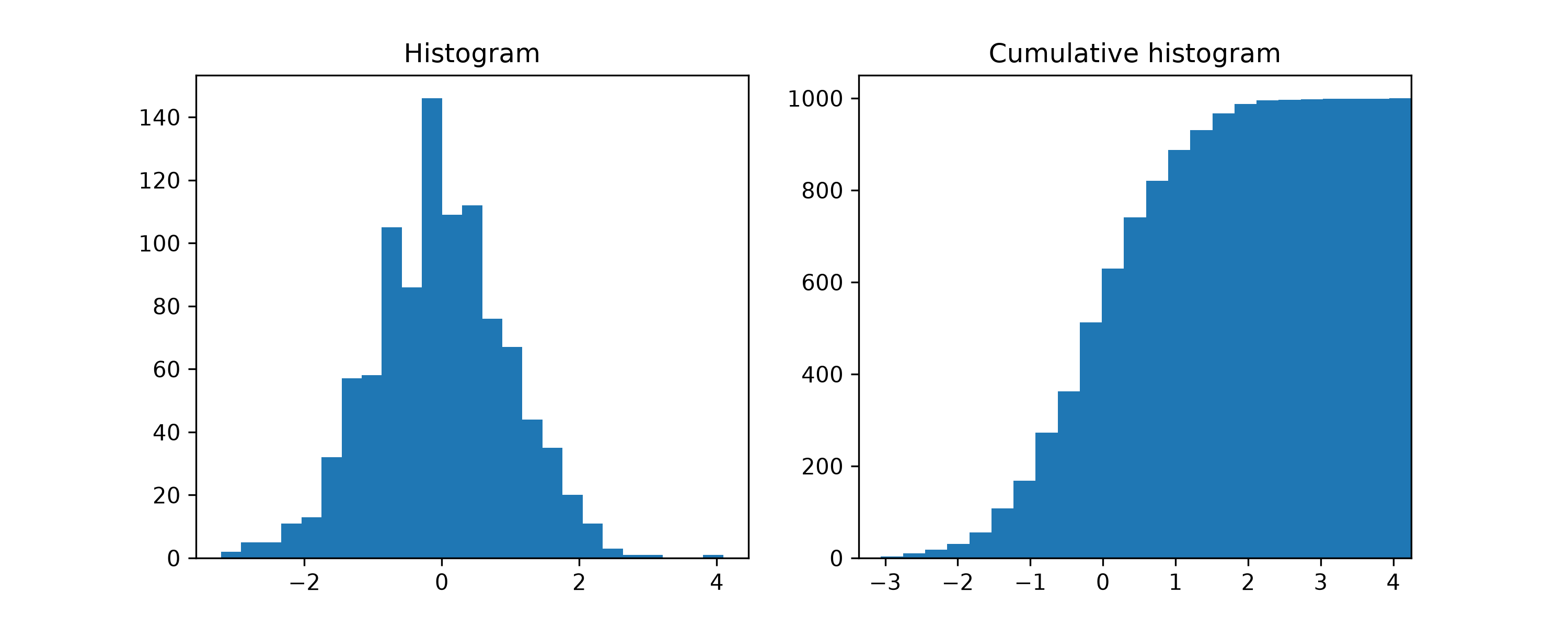
np.int64(3)Create a normal distribution with 1000 random values
samples = stats.norm.rvs(size=1000, random_state=rng)
✓res = stats.cumfreq(samples, numbins=25)
✓x = res.lowerlimit + np.linspace(0, res.binsize*res.cumcount.size, res.cumcount.size + 1)✓
fig = plt.figure(figsize=(10, 4))
ax1 = fig.add_subplot(1, 2, 1)
ax2 = fig.add_subplot(1, 2, 2)
✓
ax1.hist(samples, bins=25)
ax1.set_title('Histogram')
ax2.bar(x[:-1], res.cumcount, width=res.binsize, align='edge')
ax2.set_title('Cumulative histogram')
ax2.set_xlim([x.min(), x.max()])
✗
(-3.362478726049059, 4.2456826787257675)
plt.show()
✓
Aliases
scipy.stats.cumfreq