bundles / numpy latest / numpy / histogram2d
_ArrayFunctionDispatcher
numpy:histogram2d
source: /dev/numpy/build-install/usr/lib/python3.14/site-packages/numpy/lib/_twodim_base_impl.py:668
Signature
def histogram2d(x, y, bins = 10, range = None, density = None, weights = None)Summary
Compute the bi-dimensional histogram of two data samples.
Parameters
x: array_like, shape (N,)An array containing the x coordinates of the points to be histogrammed.
y: array_like, shape (N,)An array containing the y coordinates of the points to be histogrammed.
bins: int or array_like or [int, int] or [array, array], optionalThe bin specification:
If int, the number of bins for the two dimensions (nx=ny=bins).
If array_like, the bin edges for the two dimensions (x_edges=y_edges=bins).
If [int, int], the number of bins in each dimension (nx, ny = bins).
If [array, array], the bin edges in each dimension (x_edges, y_edges = bins).
A combination [int, array] or [array, int], where int is the number of bins and array is the bin edges.
range: array_like, shape(2,2), optionalThe leftmost and rightmost edges of the bins along each dimension (if not specified explicitly in the
binsparameters):[[xmin, xmax], [ymin, ymax]]. All values outside of this range will be considered outliers and not tallied in the histogram.density: bool, optionalIf False, the default, returns the number of samples in each bin. If True, returns the probability density function at the bin,
bin_count / sample_count / bin_area.weights: array_like, shape(N,), optionalAn array of values
w_iweighing each sample(x_i, y_i). Weights are normalized to 1 ifdensityis True. Ifdensityis False, the values of the returned histogram are equal to the sum of the weights belonging to the samples falling into each bin.
Returns
H: ndarray, shape(nx, ny)The bi-dimensional histogram of samples
xandy. Values inxare histogrammed along the first dimension and values inyare histogrammed along the second dimension.xedges: ndarray, shape(nx+1,)The bin edges along the first dimension.
yedges: ndarray, shape(ny+1,)The bin edges along the second dimension.
Notes
When density is True, then the returned histogram is the sample density, defined such that the sum over bins of the product bin_value * bin_area is 1.
Please note that the histogram does not follow the Cartesian convention where x values are on the abscissa and y values on the ordinate axis. Rather, x is histogrammed along the first dimension of the array (vertical), and y along the second dimension of the array (horizontal). This ensures compatibility with histogramdd.
Examples
import numpy as np
from matplotlib.image import NonUniformImage
import matplotlib.pyplot as plt
✓
xedges = [0, 1, 3, 5]
yedges = [0, 2, 3, 4, 6]
✓
x = np.random.normal(2, 1, 100)
y = np.random.normal(1, 1, 100)
H, xedges, yedges = np.histogram2d(x, y, bins=(xedges, yedges))
H = H.T
✓
fig = plt.figure(figsize=(7, 3))
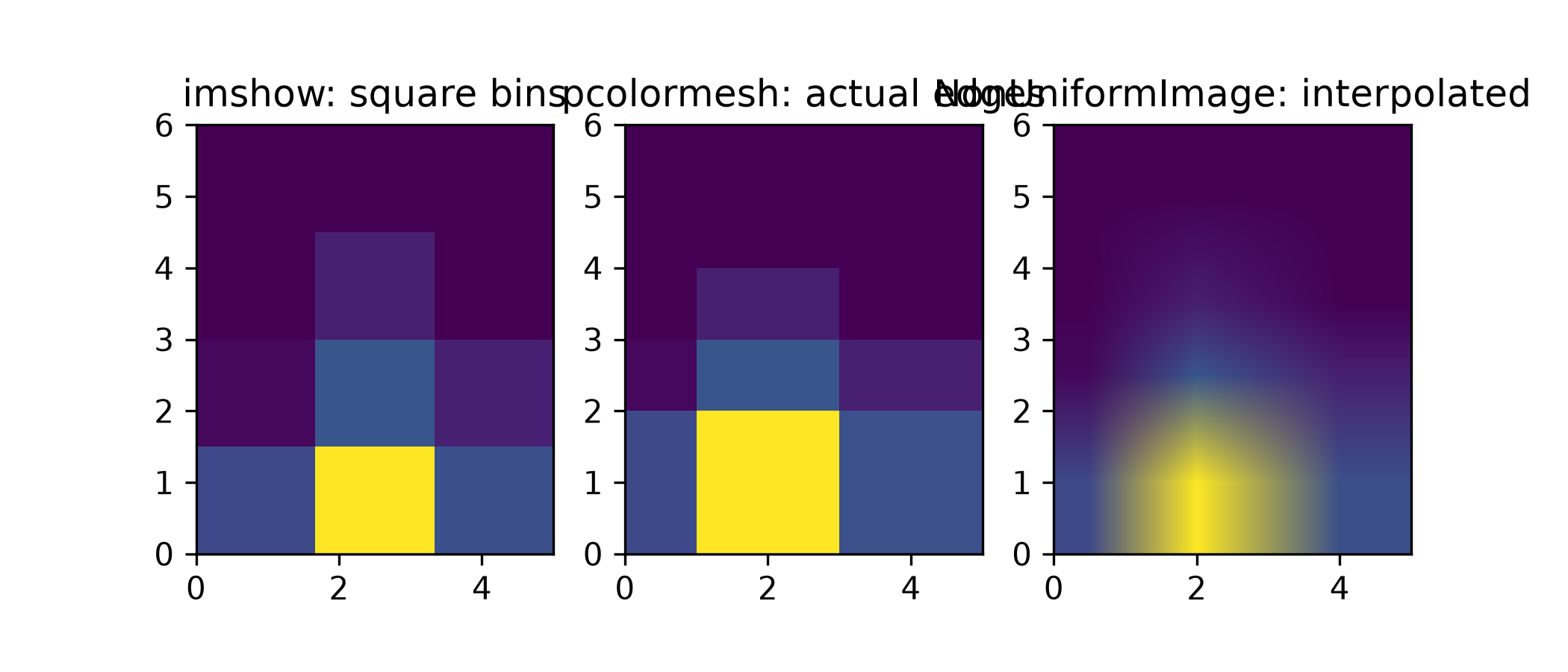
ax = fig.add_subplot(131, title='imshow: square bins')
plt.imshow(H, interpolation='nearest', origin='lower',
        extent=[xedges[0], xedges[-1], yedges[0], yedges[-1]])
✓
<matplotlib.image.AxesImage object at 0x7f2206608a50>:func:`pcolormesh <matplotlib.pyplot.pcolormesh>` can display actual edges:
ax = fig.add_subplot(132, title='pcolormesh: actual edges',
        aspect='equal')
X, Y = np.meshgrid(xedges, yedges)
ax.pcolormesh(X, Y, H)
✓
<matplotlib.collections.QuadMesh object at 0x7f22063ad550>:class:`NonUniformImage <matplotlib.image.NonUniformImage>` can be used to display actual bin edges with interpolation:
ax = fig.add_subplot(133, title='NonUniformImage: interpolated',
        aspect='equal', xlim=xedges[[0, -1]], ylim=yedges[[0, -1]])
im = NonUniformImage(ax, interpolation='bilinear')
xcenters = (xedges[:-1] + xedges[1:]) / 2
ycenters = (yedges[:-1] + yedges[1:]) / 2
im.set_data(xcenters, ycenters, H)
✓
ax.add_image(im)
✗<matplotlib.image.NonUniformImage object at 0x7f22063ae3c0>
plt.show()
✓
n = 10000
x = np.linspace(1, 100, n)
y = 2*np.log(x) + np.random.rand(n) - 0.5
H, yedges, xedges = np.histogram2d(y, x, bins=20)
✓
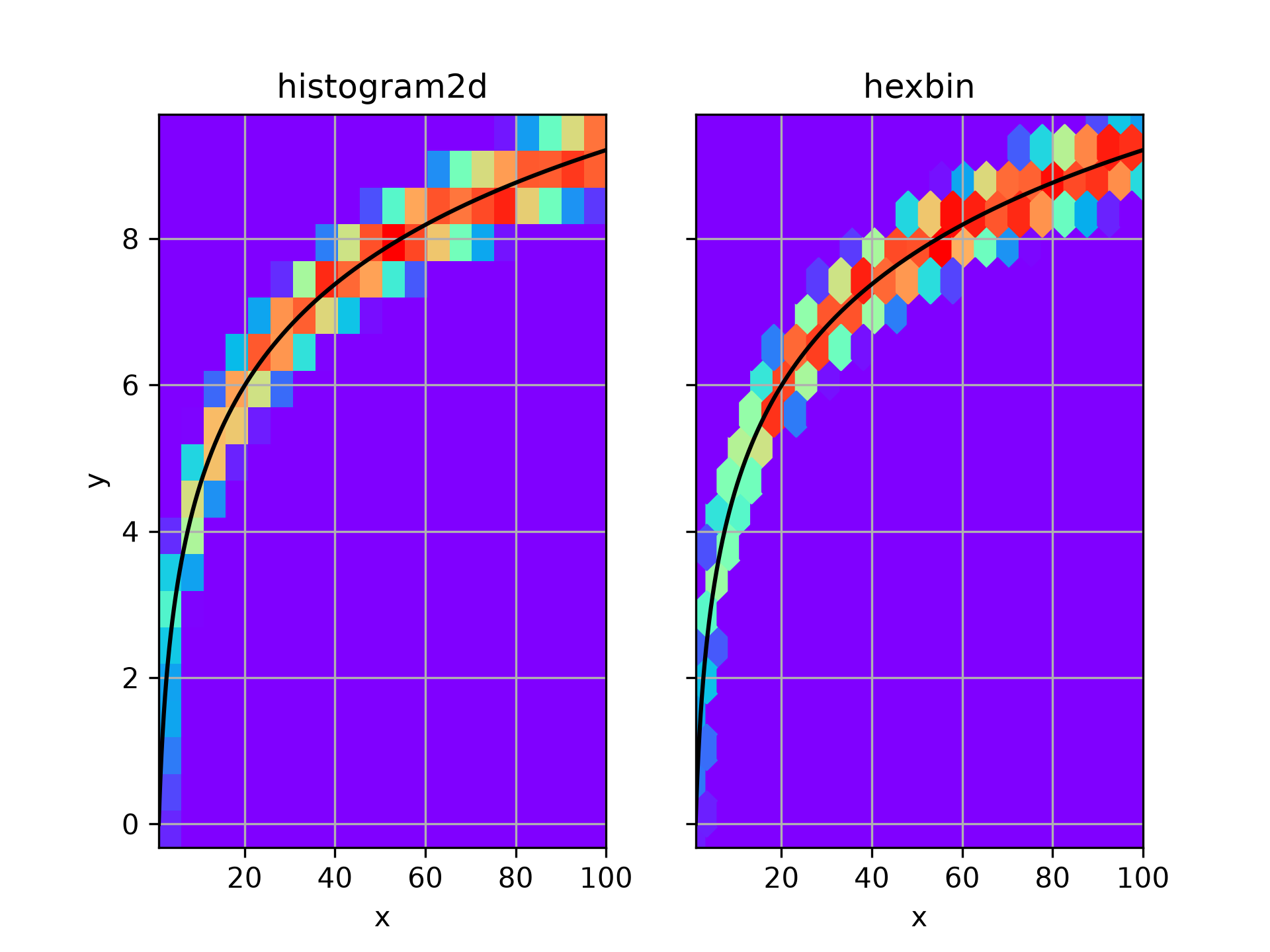
fig, (ax1, ax2) = plt.subplots(ncols=2, sharey=True)
✓ax1.pcolormesh(xedges, yedges, H, cmap='rainbow') ax1.plot(x, 2*np.log(x), 'k-') ax1.set_xlim(x.min(), x.max()) ax1.set_ylim(y.min(), y.max()) ax1.set_xlabel('x') ax1.set_ylabel('y') ax1.set_title('histogram2d')✗
Text(0.5, 1.0, 'histogram2d')
ax1.grid()
✓ax2.hexbin(x, y, gridsize=20, cmap='rainbow') ax2.plot(x, 2*np.log(x), 'k-') ax2.set_title('hexbin') ax2.set_xlim(x.min(), x.max()) ax2.set_xlabel('x')✗
Text(0.5, 0, 'x')
ax2.grid()
✓plt.show()
✓
See also
- histogram
1D histogram
- histogramdd
Multidimensional histogram
Aliases
numpy.histogram2d