bundles / scipy 2.0.0.dev0+git20260907.41eeb59 / scipy / stats / _morestats / ppcc_plot
function
scipy.stats._morestats:ppcc_plot
source: build-install/usr/lib/python3.14/site-packages/scipy/stats/_morestats.py:789
Signature
def ppcc_plot(x, a, b, dist = tukeylambda, plot = None, N = 80)Summary
Calculate and optionally plot probability plot correlation coefficient.
Extended Summary
The probability plot correlation coefficient (PPCC) plot can be used to determine the optimal shape parameter for a one-parameter family of distributions. It cannot be used for distributions without shape parameters (like the normal distribution) or with multiple shape parameters.
By default a Tukey-Lambda distribution (stats.tukeylambda) is used. A Tukey-Lambda PPCC plot interpolates from long-tailed to short-tailed distributions via an approximately normal one, and is therefore particularly useful in practice.
Parameters
x: array_likeInput array.
a, b: scalarLower and upper bounds of the shape parameter to use.
dist: str or stats.distributions instance, optionalDistribution or distribution function name. Objects that look enough like a stats.distributions instance (i.e. they have a
ppfmethod) are also accepted. The default is'tukeylambda'.plot: object, optionalIf given, plots PPCC against the shape parameter.
plotis an object that has to have methods "plot" and "text". The matplotlib.pyplot module or a Matplotlib Axes object can be used, or a custom object with the same methods. Default is None, which means that no plot is created.N: int, optionalNumber of points on the horizontal axis (equally distributed from
atob).
Returns
svals: ndarrayThe shape values for which ppcc was calculated.
ppcc: ndarrayThe calculated probability plot correlation coefficient values.
Examples
First we generate some random data from a Weibull distribution with shape parameter 2.5, and plot the histogram of the data:import numpy as np from scipy import stats import matplotlib.pyplot as plt rng = np.random.default_rng() c = 2.5 x = stats.weibull_min.rvs(c, scale=4, size=2000, random_state=rng)✓
fig1, ax = plt.subplots(figsize=(9, 4))
✓ax.hist(x, bins=50) ax.set_title('Histogram of x')✗
Text(0.5, 1.0, 'Histogram of x')
plt.show()
✓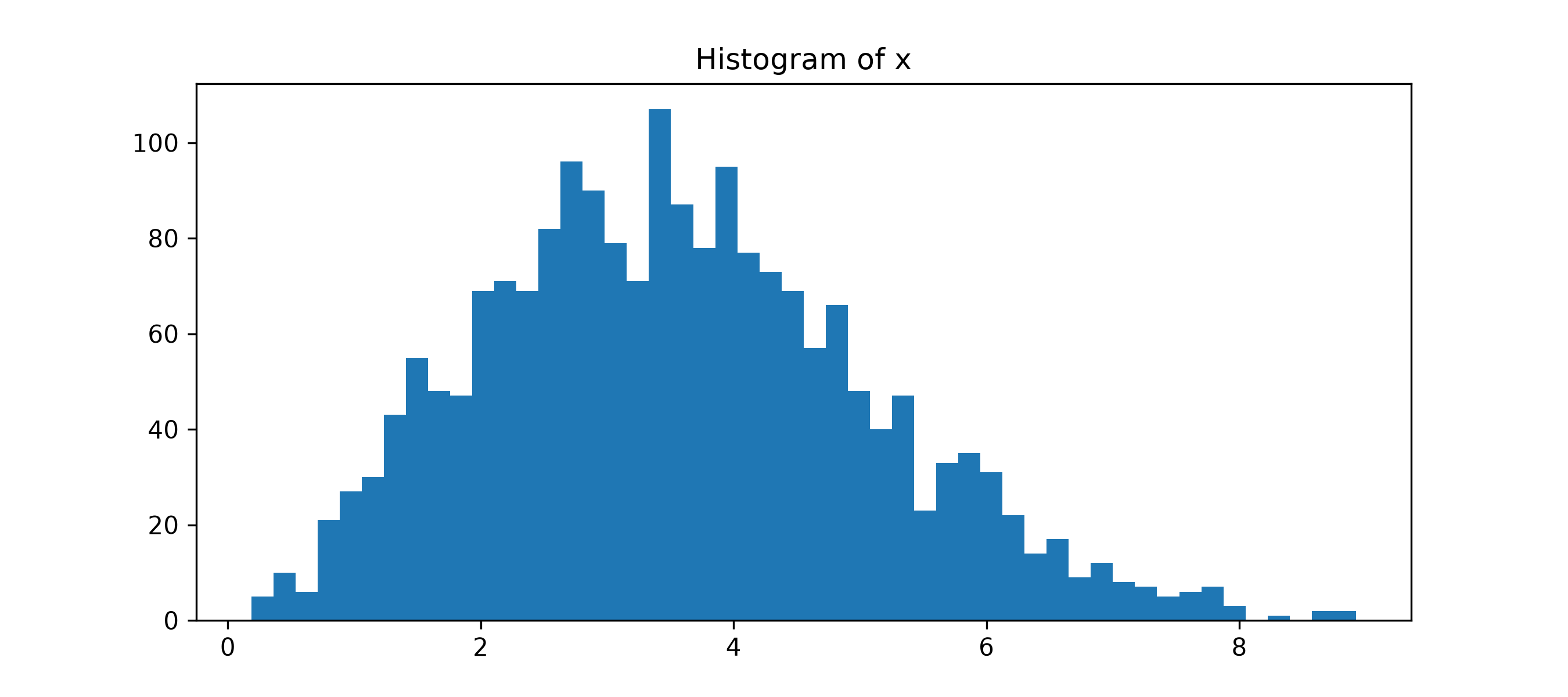
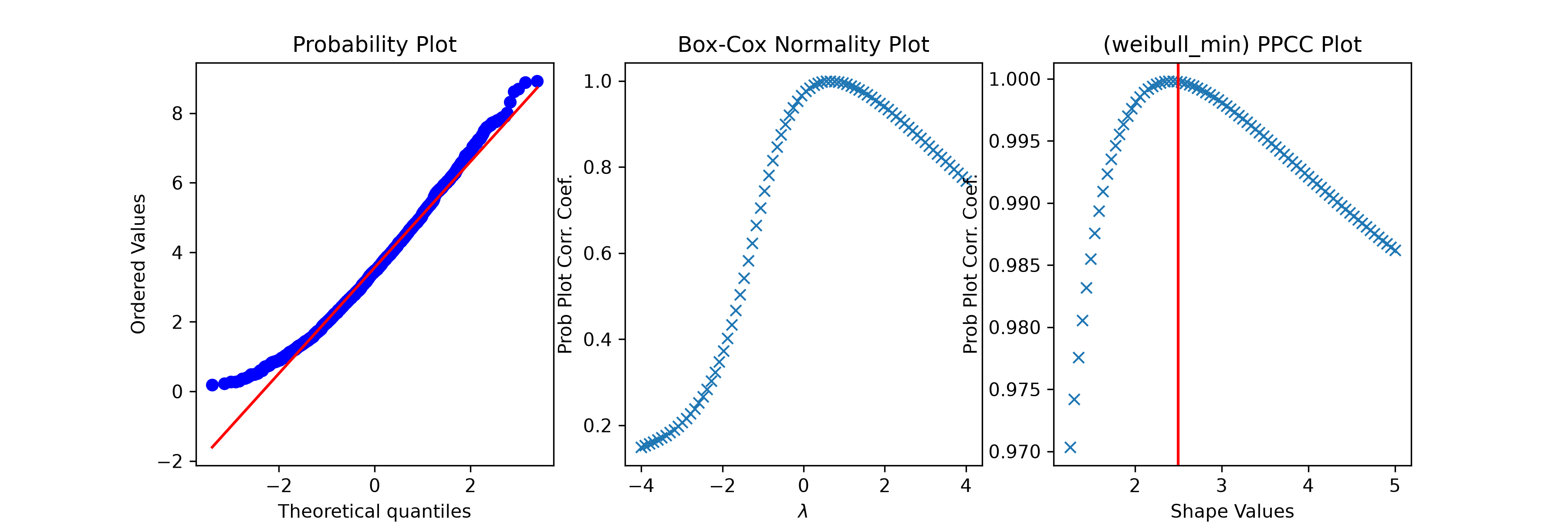
fig2 = plt.figure(figsize=(12, 4))
ax1 = fig2.add_subplot(1, 3, 1)
ax2 = fig2.add_subplot(1, 3, 2)
ax3 = fig2.add_subplot(1, 3, 3)
res = stats.probplot(x, plot=ax1)
res = stats.boxcox_normplot(x, -4, 4, plot=ax2)
res = stats.ppcc_plot(x, c/2, 2*c, dist='weibull_min', plot=ax3)
✓
ax3.axvline(c, color='r')
✗<matplotlib.lines.Line2D object at 0x7f3f590a0050>
plt.show()
✓
See also
- boxcox_normplot
- ppcc_max
- probplot
- tukeylambda
Aliases
scipy.stats.ppcc_plot