bundles / numpy 2.4.4 / numpy / geomspace
_ArrayFunctionDispatcher
numpy:geomspace
Signature
def geomspace(start, stop, num = 50, endpoint = True, dtype = None, axis = 0)Summary
Return numbers spaced evenly on a log scale (a geometric progression).
Extended Summary
This is similar to logspace, but with endpoints specified directly. Each output sample is a constant multiple of the previous.
Parameters
start: array_likeThe starting value of the sequence.
stop: array_likeThe final value of the sequence, unless
endpointis False. In that case,num + 1values are spaced over the interval in log-space, of which all but the last (a sequence of lengthnum) are returned.num: integer, optionalNumber of samples to generate. Default is 50.
endpoint: boolean, optionalIf true,
stopis the last sample. Otherwise, it is not included. Default is True.dtype: dtypeThe type of the output array. If
dtypeis not given, the data type is inferred fromstartandstop. The inferred dtype will never be an integer; float is chosen even if the arguments would produce an array of integers.axis: int, optionalThe axis in the result to store the samples. Relevant only if start or stop are array-like. By default (0), the samples will be along a new axis inserted at the beginning. Use -1 to get an axis at the end.
Returns
samples: ndarraynumsamples, equally spaced on a log scale.
Notes
If the inputs or dtype are complex, the output will follow a logarithmic spiral in the complex plane. (There are an infinite number of spirals passing through two points; the output will follow the shortest such path.)
Examples
import numpy as np
✓np.geomspace(1, 1000, num=4) np.geomspace(1, 1000, num=3, endpoint=False) np.geomspace(1, 1000, num=4, endpoint=False) np.geomspace(1, 256, num=9)✗
array([ 1., 2., 4., 8., 16., 32., 64., 128., 256.])Note that the above may not produce exact integers:
np.geomspace(1, 256, num=9, dtype=int)
np.around(np.geomspace(1, 256, num=9)).astype(int)
✓
array([ 1, 2, 4, 8, 16, 32, 64, 128, 256])Negative, decreasing, and complex inputs are allowed:
np.geomspace(1000, 1, num=4)
np.geomspace(-1000, -1, num=4)
np.geomspace(1j, 1000j, num=4)  # Straight line
✓
array([0. +1.j, 0. +10.j, 0. +100.j, 0.+1000.j])
np.geomspace(-1+0j, 1+0j, num=5) # Circle
✗array([-1.00000000e+00+0.j , -7.07106781e-01+0.70710678j,
-6.12323400e-17+1.j , 7.07106781e-01+0.70710678j,
1.00000000e+00+0.j ])
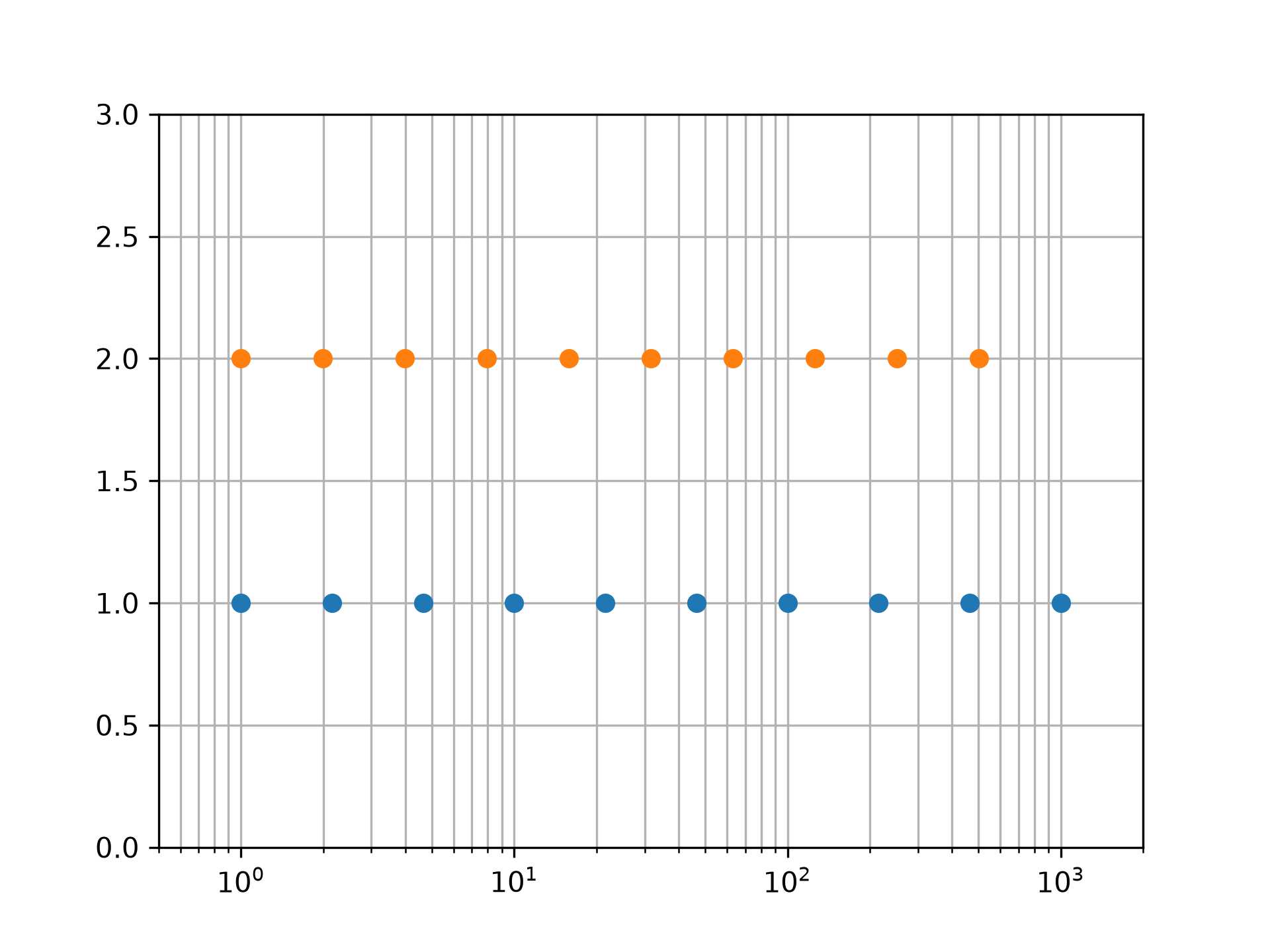
Graphical illustration of `endpoint` parameter:
import matplotlib.pyplot as plt
N = 10
y = np.zeros(N)
plt.semilogx(np.geomspace(1, 1000, N, endpoint=True), y + 1, 'o')
plt.semilogx(np.geomspace(1, 1000, N, endpoint=False), y + 2, 'o')
✓
[<matplotlib.lines.Line2D object at 0x7fe9860a4d70>]
plt.axis([0.5, 2000, 0, 3])
✗(np.float64(0.5), np.float64(2000.0), np.float64(0.0), np.float64(3.0))
plt.grid(True, color='0.7', linestyle='-', which='both', axis='both')
plt.show()
✓
See also
Aliases
numpy.geomspace