bundles / scipy latest / scipy / signal / _czt / ZoomFFT
class
scipy.signal._czt:ZoomFFT
source: /scipy/signal/_czt.py :275
Signature
class ZoomFFT ( n , fn , m = None , * , fs = 2 , endpoint = False ) Members
Summary
Create a callable zoom FFT transform function.
Extended Summary
This is a specialization of the chirp z-transform (CZT) for a set of equally-spaced frequencies around the unit circle, used to calculate a section of the FFT more efficiently than calculating the entire FFT and truncating.
Parameters
n: intThe size of the signal.
fn: array_likeA length-2 sequence [
f1,f2] giving the frequency range, or a scalar, for which the range [0,fn] is assumed.m: int, optionalThe number of points to evaluate. Default is
n.fs: float, optionalThe sampling frequency. If
fs=10represented 10 kHz, for example, thenf1andf2would also be given in kHz. The default sampling frequency is 2, sof1andf2should be in the range [0, 1] to keep the transform below the Nyquist frequency.endpoint: bool, optionalIf True,
f2is the last sample. Otherwise, it is not included. Default is False.
Returns
f: ZoomFFTCallable object
f(x, axis=-1)for computing the zoom FFT onx.
Notes
The defaults are chosen such that f(x, 2) is equivalent to fft.fft(x) and, if m > len(x), that f(x, 2, m) is equivalent to fft.fft(x, m).
Sampling frequency is 1/dt, the time step between samples in the signal x. The unit circle corresponds to frequencies from 0 up to the sampling frequency. The default sampling frequency of 2 means that f1, f2 values up to the Nyquist frequency are in the range [0, 1). For f1, f2 values expressed in radians, a sampling frequency of 2*pi should be used.
Remember that a zoom FFT can only interpolate the points of the existing FFT. It cannot help to resolve two separate nearby frequencies. Frequency resolution can only be increased by increasing acquisition time.
These functions are implemented using Bluestein's algorithm (as is scipy.fft). [2]
Array API Standard Support
ZoomFFT has experimental support for Python Array API Standard compatible backends in addition to NumPy. Please consider testing these features by setting an environment variable SCIPY_ARRAY_API=1 and providing CuPy, PyTorch, JAX, or Dask arrays as array arguments. The following combinations of backend and device (or other capability) are supported.
====================  ====================  ====================
Library               CPU                   GPU
====================  ====================  ====================
NumPy                 ✅                     n/a
CuPy                  n/a                   ⛔
PyTorch               ⛔                     ⛔
JAX                   ⛔                     ⛔
Dask                  ⛔                     n/a
====================  ====================  ====================
See
dev-arrayapifor more information.
Examples
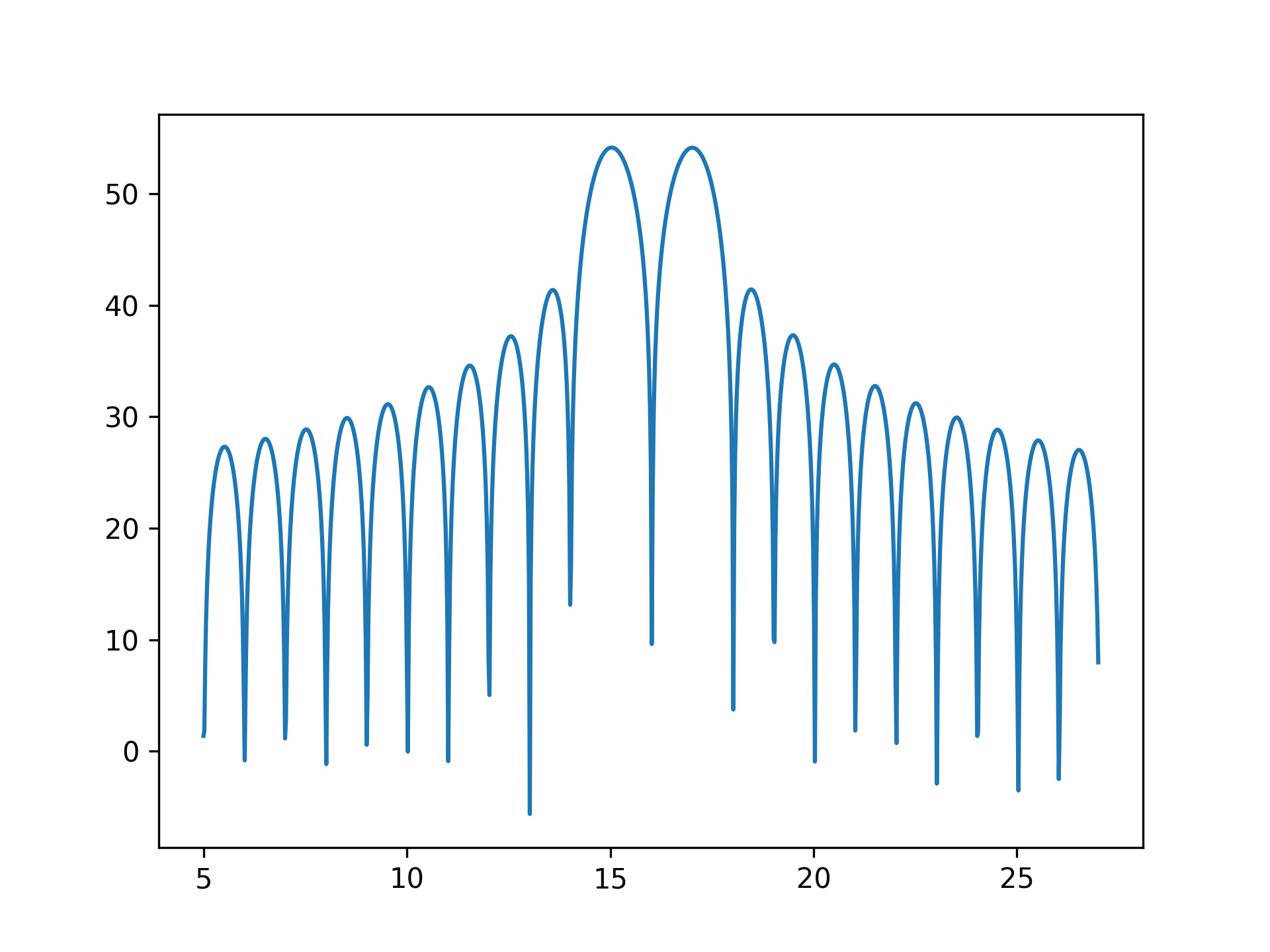
To plot the transform results use something like the following:import numpy as np from scipy.signal import ZoomFFT t = np.linspace(0, 1, 1021) x = np.cos(2*np.pi*15*t) + np.sin(2*np.pi*17*t) f1, f2 = 5, 27 transform = ZoomFFT(len(x), [f1, f2], len(x), fs=1021) X = transform(x) f = np.linspace(f1, f2, len(x)) import matplotlib.pyplot as plt✓
plt.plot(f, 20*np.log10(np.abs(X)))
✗plt.show()
✓
See also
- zoom_fft
Convenience function for calculating a zoom FFT.
Aliases
-
scipy.signal.ZoomFFT