bundles / scipy latest / scipy / stats / _distribution_infrastructure / truncate
function
scipy.stats._distribution_infrastructure:truncate
source: build-install/usr/lib/python3.14/site-packages/scipy/stats/_distribution_infrastructure.py:4588
Signature
def truncate(X, lb = -inf, ub = inf)Summary
Truncate the support of a random variable.
Extended Summary
Given a random variable X, truncate returns a random variable with support truncated to the interval between lb and ub. The underlying probability density function is normalized accordingly.
Parameters
X: `ContinuousDistribution`The random variable to be truncated.
lb, ub: float array-likeThe lower and upper truncation points, respectively. Must be broadcastable with one another and the shape of
X.
Returns
X: `ContinuousDistribution`The truncated random variable.
Examples
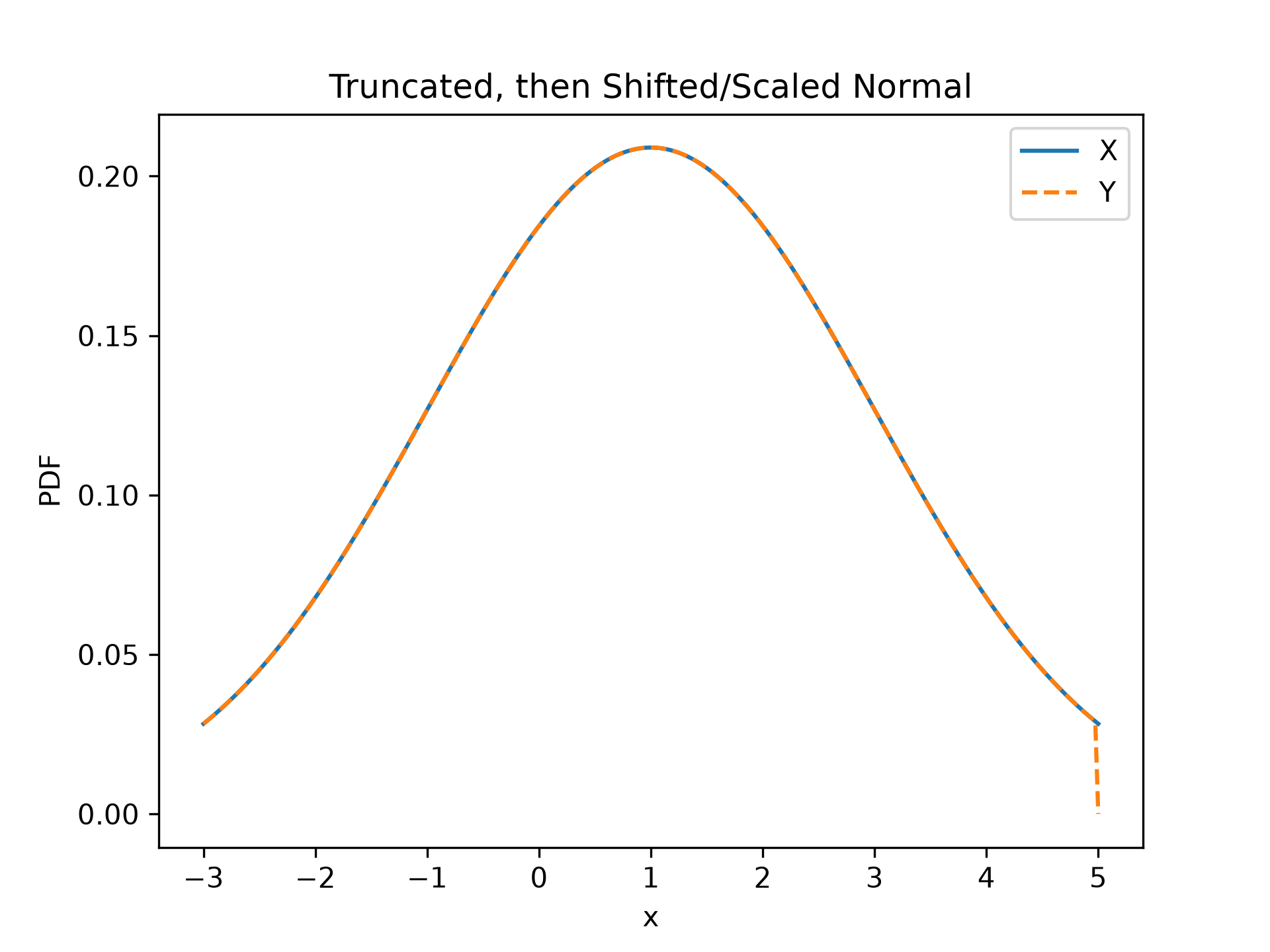
Compare against `scipy.stats.truncnorm`, which truncates a standard normal, *then* shifts and scales it.import numpy as np import matplotlib.pyplot as plt from scipy import stats loc, scale, lb, ub = 1, 2, -2, 2 X = stats.truncnorm(lb, ub, loc, scale) Y = scale * stats.truncate(stats.Normal(), lb, ub) + loc x = np.linspace(-3, 5, 300)✓
plt.plot(x, X.pdf(x), '-', label='X')
plt.plot(x, Y.pdf(x), '--', label='Y')
plt.xlabel('x')
plt.ylabel('PDF')
plt.title('Truncated, then Shifted/Scaled Normal')
plt.legend()
✗
<matplotlib.legend.Legend object at 0x7f3f68548440>
plt.show()
✓
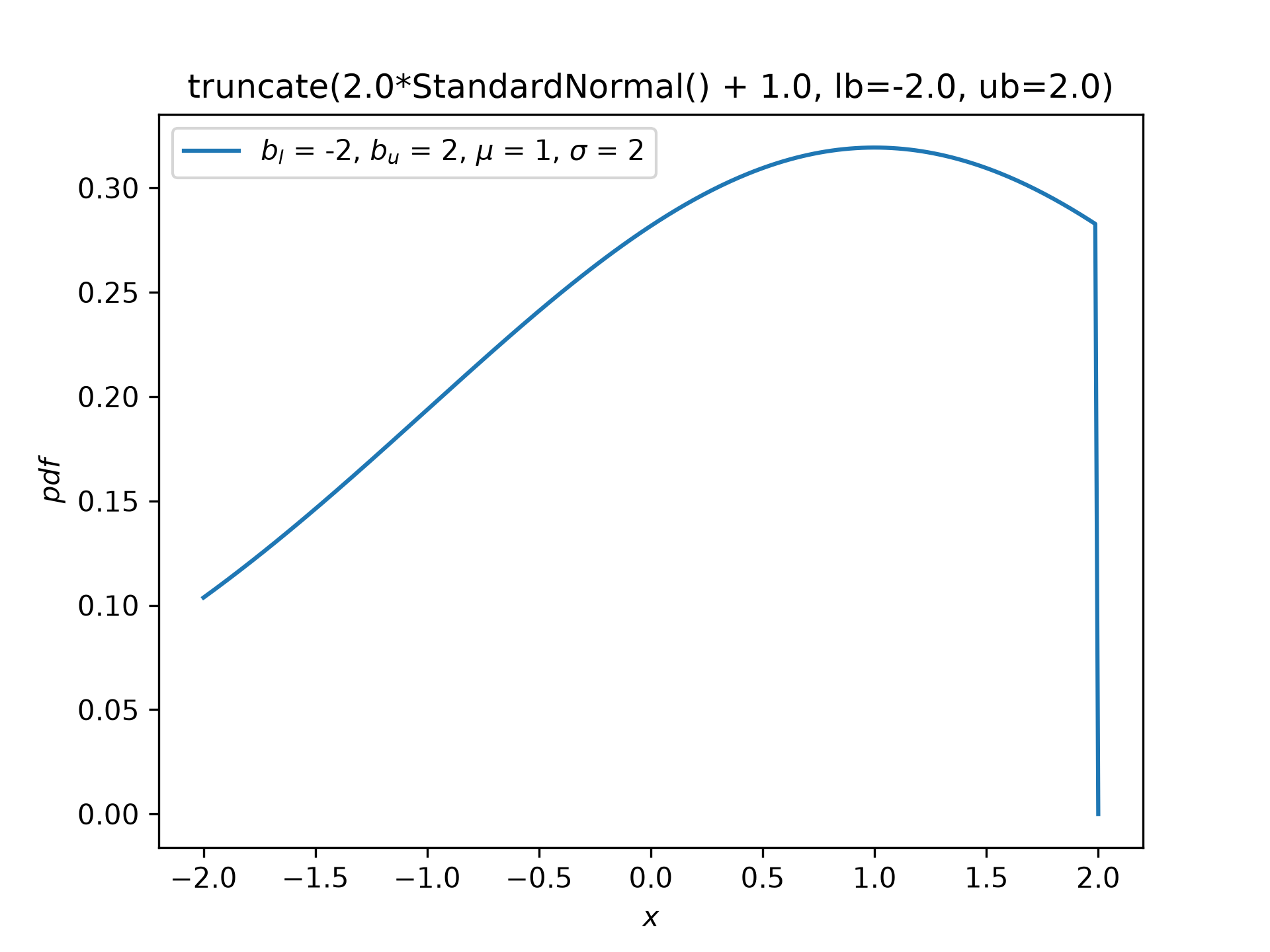
Z = stats.truncate(scale * stats.Normal() + loc, lb, ub)
✓Z.plot()
✗<Axes: title={'center': 'truncate(2.0*StandardNormal() + 1.0, lb=-2.0, ub=2.0)'}, xlabel='$x$', ylabel='$pdf$'>
plt.show()
✓
Rayleigh = stats.make_distribution(stats.rayleigh)
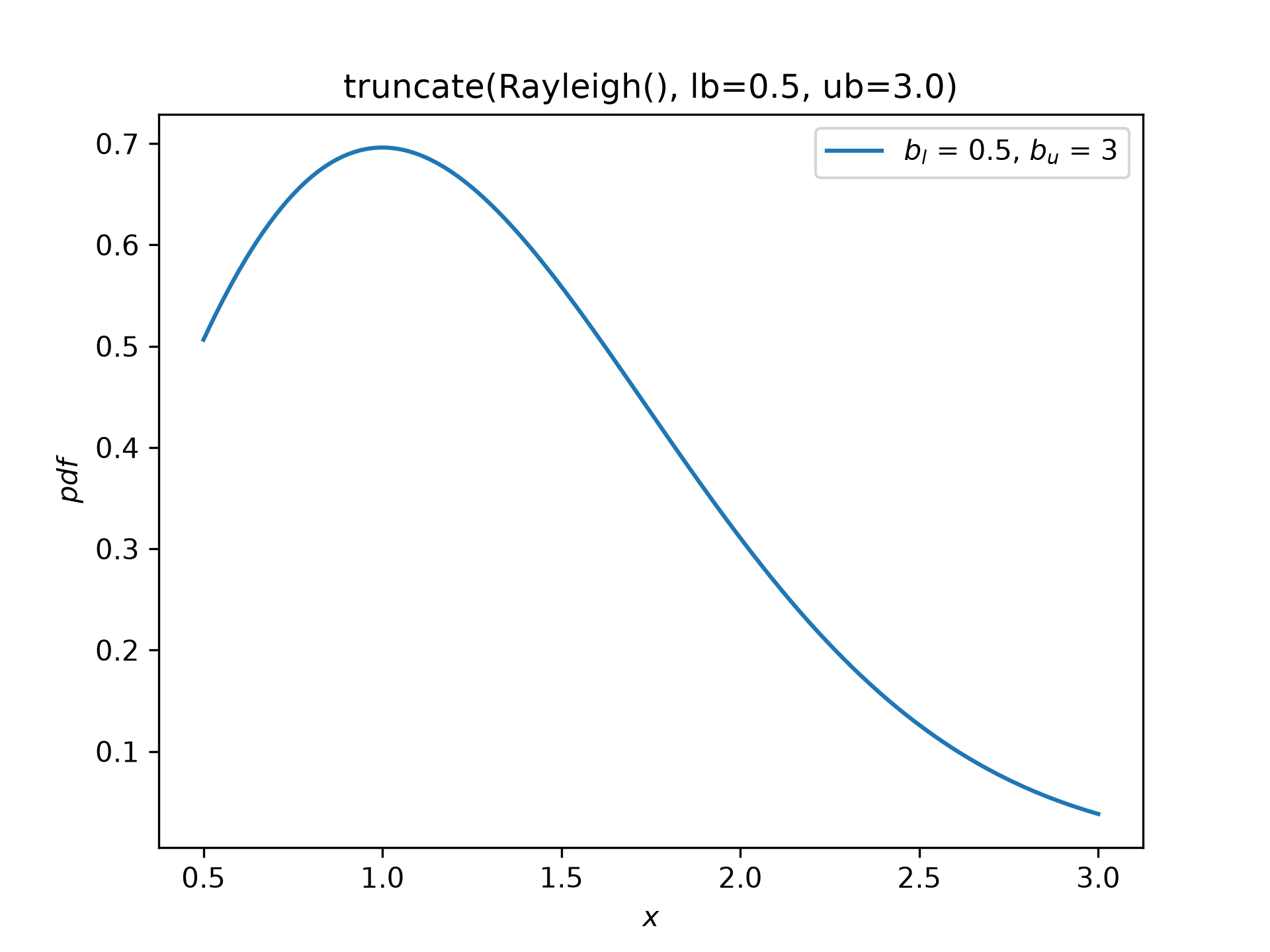
W = stats.truncate(Rayleigh(), lb=0.5, ub=3)
✓
W.plot()
✗<Axes: title={'center': 'truncate(Rayleigh(), lb=0.5, ub=3.0)'}, xlabel='$x$', ylabel='$pdf$'>
plt.show()
✓
Aliases
scipy.stats.truncate