bundles / scipy latest / scipy / signal / _filter_design / iirnotch
function
scipy.signal._filter_design:iirnotch
source: build-install/usr/lib/python3.14/site-packages/scipy/signal/_filter_design.py:5436
Signature
def iirnotch(w0, Q, fs = 2.0, *, xp = None, device = None)Summary
Design second-order IIR notch digital filter.
Extended Summary
A notch filter is a band-stop filter with a narrow bandwidth (high quality factor). It rejects a narrow frequency band and leaves the rest of the spectrum little changed.
Parameters
w0: floatFrequency to remove from a signal. If
fsis specified, this is in the same units asfs. By default, it is a normalized scalar that must satisfy0 < w0 < 1, withw0 = 1corresponding to half of the sampling frequency.Q: floatQuality factor. Dimensionless parameter that characterizes notch filter -3 dB bandwidth
bwrelative to its center frequency,Q = w0/bw.fs: float, optionalThe sampling frequency of the digital system.
xp: array_namespace, optionalOptional array namespace. Should be compatible with the array API standard, or supported by array-api-compat. Default:
numpydevice: anyoptional device specification for output. Should match one of the supported device specification in
xp.
Returns
b, a: ndarray, ndarrayNumerator (
b) and denominator (a) polynomials of the IIR filter.
Notes
Examples
Design and plot filter to remove the 60 Hz component from a signal sampled at 200 Hz, using a quality factor Q = 30from scipy import signal import matplotlib.pyplot as plt import numpy as np✓
fs = 200.0  # Sample frequency (Hz)
f0 = 60.0  # Frequency to be removed from signal (Hz)
Q = 30.0  # Quality factor
b, a = signal.iirnotch(f0, Q, fs)
✓
freq, h = signal.freqz(b, a, fs=fs)
fig, ax = plt.subplots(2, 1, figsize=(8, 6))
✓
ax[0].plot(freq, 20*np.log10(abs(h)), color='blue')
ax[0].set_title("Frequency Response")
ax[0].set_ylabel("Amplitude [dB]", color='blue')
ax[0].set_xlim([0, 100])
ax[0].set_ylim([-25, 10])
✗
(-25.0, 10.0)
ax[0].grid(True)
✓ax[1].plot(freq, np.unwrap(np.angle(h))*180/np.pi, color='green') ax[1].set_ylabel("Phase [deg]", color='green') ax[1].set_xlabel("Frequency [Hz]") ax[1].set_xlim([0, 100]) ax[1].set_yticks([-90, -60, -30, 0, 30, 60, 90]) ax[1].set_ylim([-90, 90])✗
(-90.0, 90.0)
ax[1].grid(True)
plt.show()
✓
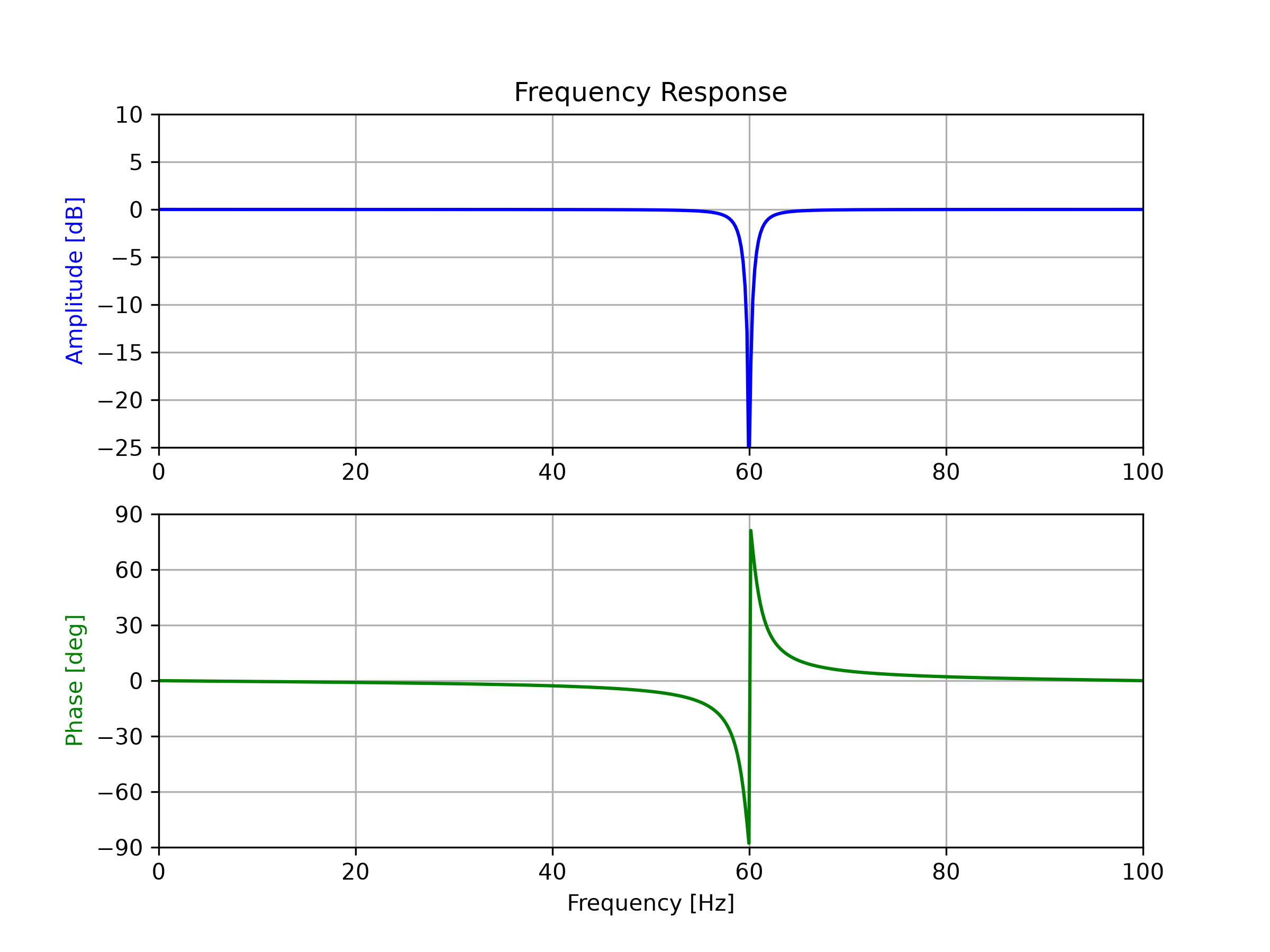
See also
Aliases
scipy.signal.iirnotch