bundles / scipy latest / scipy / signal / _filter_design / freqz_zpk
function
scipy.signal._filter_design:freqz_zpk
source: build-install/usr/lib/python3.14/site-packages/scipy/signal/_filter_design.py:586
Signature
def freqz_zpk(z, p, k, worN = 512, whole = False, fs = 6.283185307179586)Summary
Compute the frequency response of a digital filter in ZPK form.
Extended Summary
Given the Zeros, Poles and Gain of a digital filter, compute its frequency response:
Parameters
z: array_likeZeroes of a linear filter
p: array_likePoles of a linear filter
k: scalarGain of a linear filter
worN: {None, int, array_like}, optionalIf a single integer, then compute at that many frequencies (default is N=512).
If an array_like, compute the response at the frequencies given. These are in the same units as
fs.whole: bool, optionalNormally, frequencies are computed from 0 to the Nyquist frequency, fs/2 (upper-half of unit-circle). If
wholeis True, compute frequencies from 0 to fs. Ignored if w is array_like.fs: float, optionalThe sampling frequency of the digital system. Defaults to 2*pi radians/sample (so w is from 0 to pi).
Returns
w: ndarrayThe frequencies at which h was computed, in the same units as
fs. By default, w is normalized to the range [0, pi) (radians/sample).h: ndarrayThe frequency response, as complex numbers.
Notes
Examples
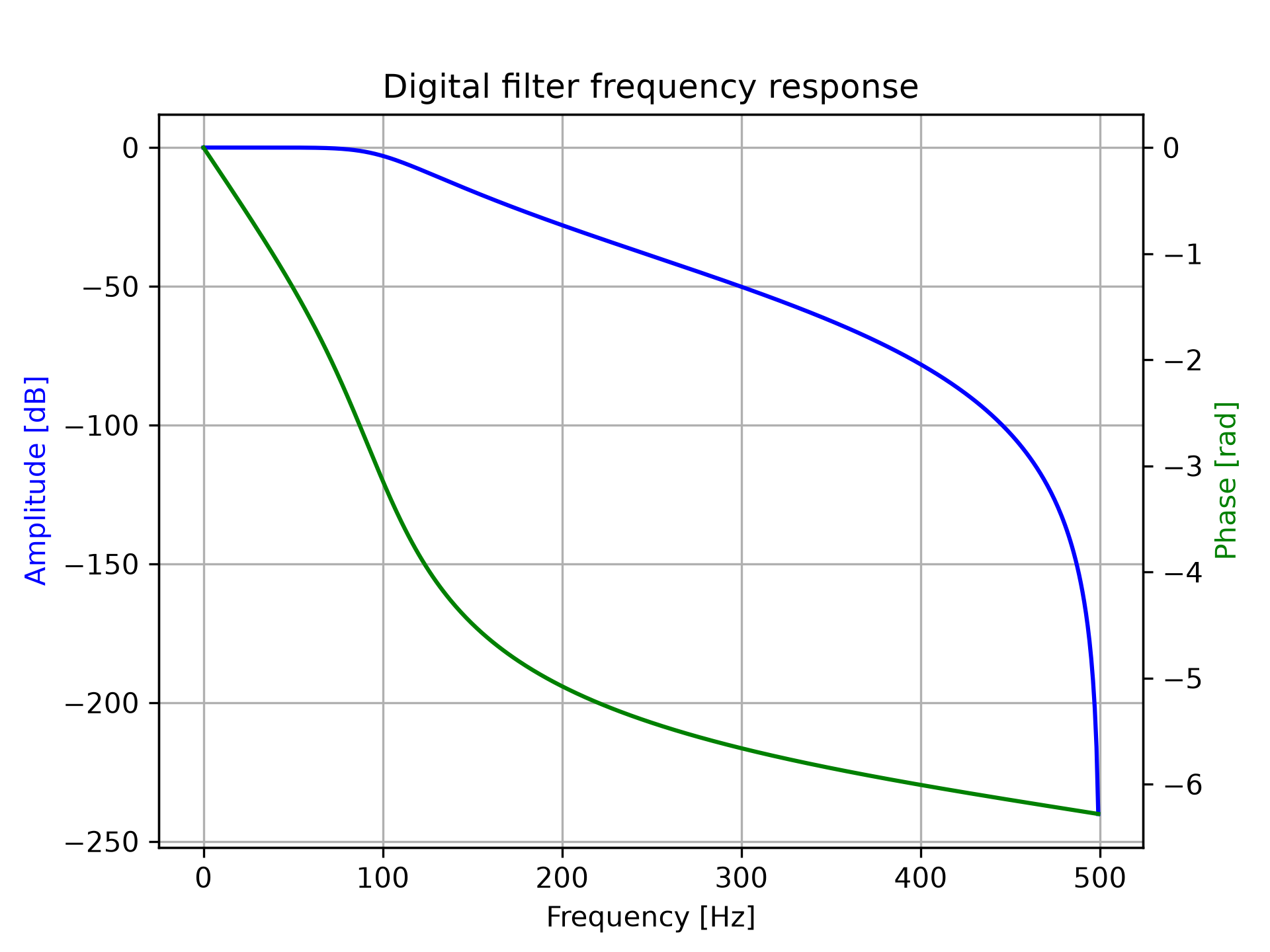
Design a 4th-order digital Butterworth filter with cut-off of 100 Hz in a system with sample rate of 1000 Hz, and plot the frequency response:import numpy as np from scipy import signal z, p, k = signal.butter(4, 100, output='zpk', fs=1000) w, h = signal.freqz_zpk(z, p, k, fs=1000)✓
import matplotlib.pyplot as plt
fig = plt.figure()
ax1 = fig.add_subplot(1, 1, 1)
✓
ax1.set_title('Digital filter frequency response')
✗Text(0.5, 1.0, 'Digital filter frequency response')
ax1.plot(w, 20 * np.log10(abs(h)), 'b')
ax1.set_ylabel('Amplitude [dB]', color='b')
ax1.set_xlabel('Frequency [Hz]')
✗
Text(0.5, 0, 'Frequency [Hz]')
ax1.grid(True)
✓ax2 = ax1.twinx() phase = np.unwrap(np.angle(h))✓
ax2.plot(w, phase, 'g')
ax2.set_ylabel('Phase [rad]', color='g')
✗
Text(0, 0.5, 'Phase [rad]')
plt.axis('tight')
✗(np.float64(-24.951171875), np.float64(523.974609375), np.float64(-6.594609448570726), np.float64(0.3140290213605108))
plt.show()
✓
See also
Aliases
scipy.signal.freqz_zpk